

 2 weeks ago
40
2 weeks ago
40
PROTECT YOURSELF with Orgo-Life® QUANTUM TECHNOLOGY
Orgo-Life the new way to the future Advertising by AdpathwayIn case you missed it, Stages is back. After being acquired by Giant following their bankruptcy, the determined cycling electronics brand resurfaced at Eurobike 2025 with some new power meter fitments. But according to those who work for the brand, the return of Stages might have been even bigger news for fans of their original smart bike, the SB20.
Introduced at the front of the smart bike movement in 2019, the SB20 had a strong following – which was good. You had to be strong to move the 140lb smart bike any substantial distance. While Stages hasn’t sold any SB20s since Giant acquired the brand, they have been selling products and supporting existing bikes with warranty service, etc.
But you also had to believe that if Stages was going to survive, they’d eventually have another smart bike in the space. The company itself is run by the exact ‘super user’ that products like this are made for. Stages has even run three different Zwift Racing League teams out of their HQ.
If you asked those super users to draw up their ideal smart bike, it would probably look just like the new Stages SB200.
Delivery
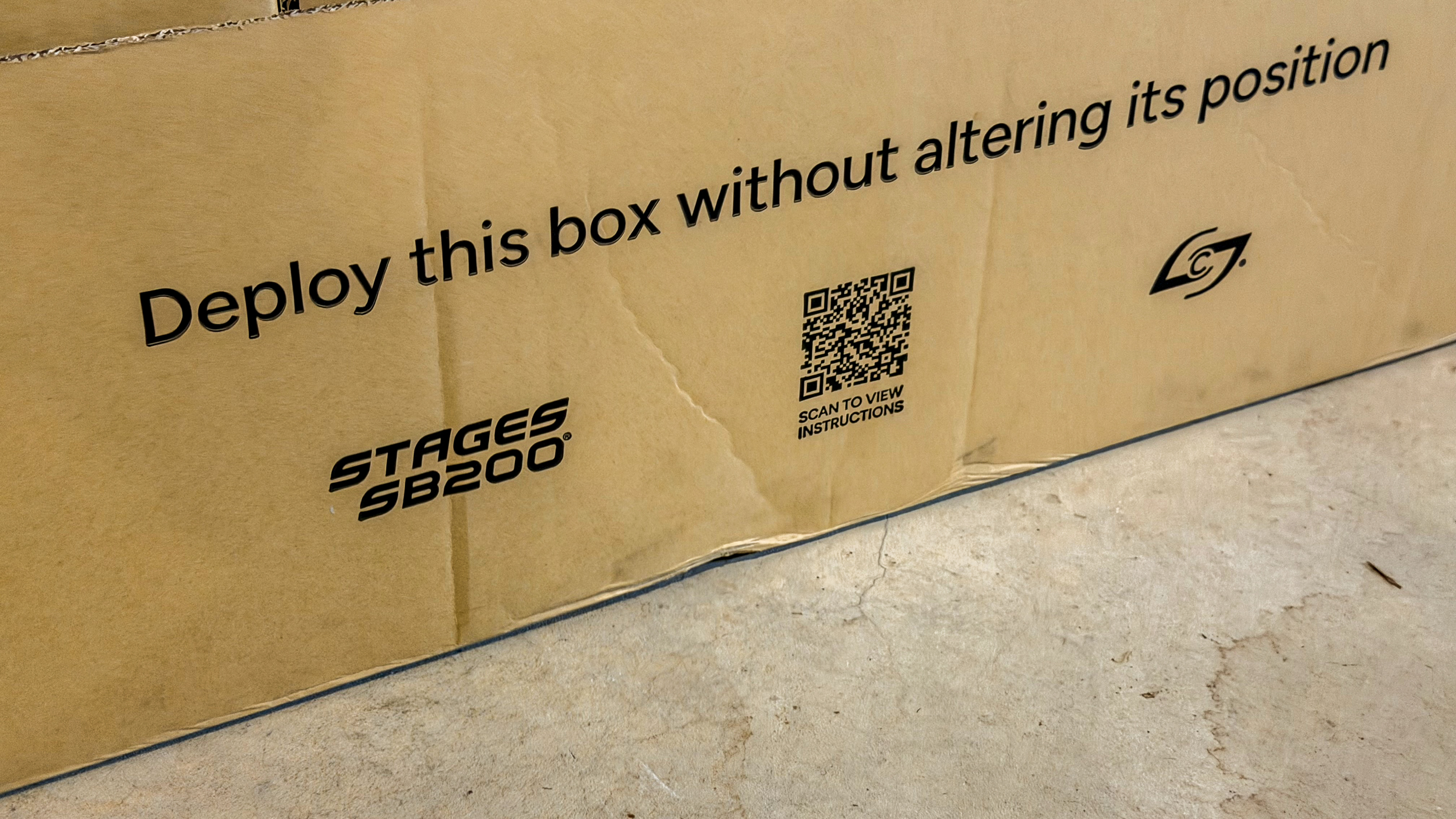
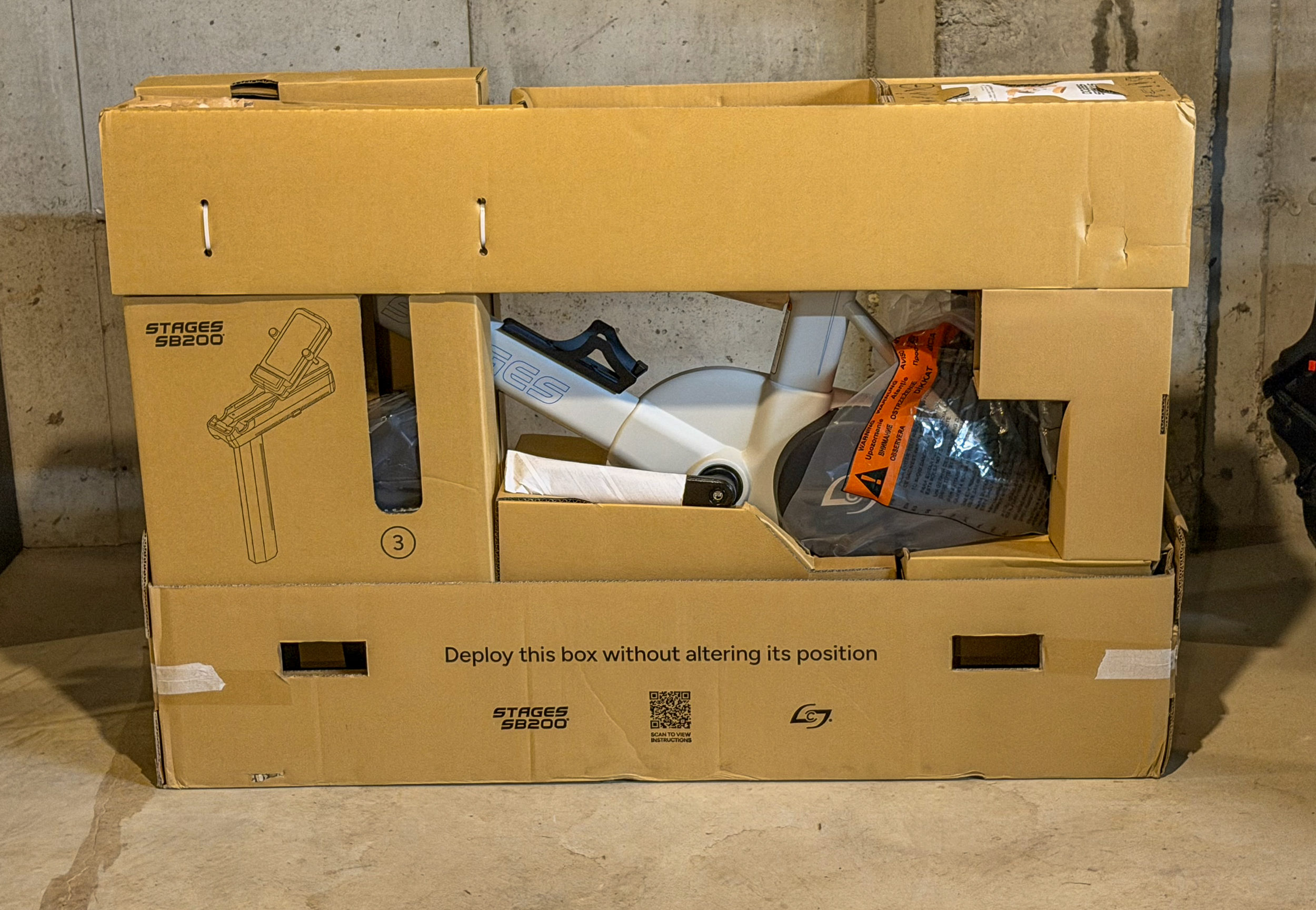
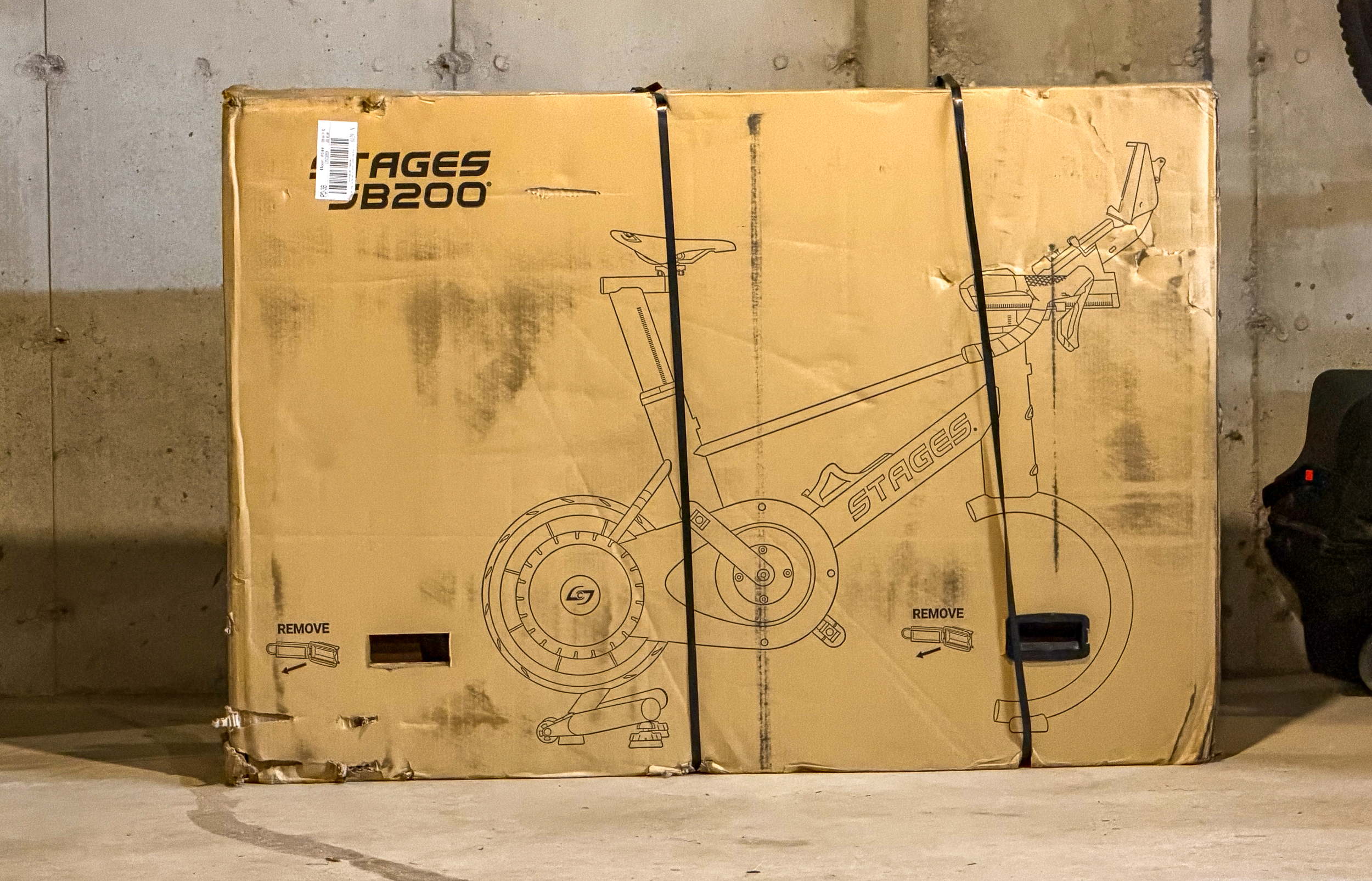
When it was time to go back to the drawing board for a new smart bike, one of the biggest targets was portability and ship-ability. As mentioned, the SB20 was 140lbs out of the box, which meant that delivering it to customers required freight shipments with a truck that had a lift gate and a coordinated delivery, especially if you were trying to get it into a basement or up multiple flights of stairs.
Perhaps you’ve noticed, but shipping prices aren’t getting any cheaper, so the ability for the SB200 to be shipped like a regular bike through UPS is a big win for everyone. Don’t get me wrong, it’s still a heavy box at around 100lbs, but it’s far more manageable than the SB20.
After UPS delivered it to my driveway, I procrastinated moving it to the basement until it was too late to have anyone else help me move it. Using the entire experience of my 30 minutes as a trained professional mover, I grabbed my hump strap, looped it around the box, and carried all 2/3rds of my body weight down to the basement. I certainly wouldn’t recommend that for anyone, but it is doable. Note that it’s best to unbox it in the same room you plan to have the bike in (rather than unboxing it to move it in pieces); more on that below in the Build.
It’s worth pointing out that even though the box showed up looking pretty rough with a number of big holes and two of the four box clips broken or missing, everything inside was perfect. The box is a masterclass in foam-free cardboard package engineering, which you’ll discover yourself during…
The Build
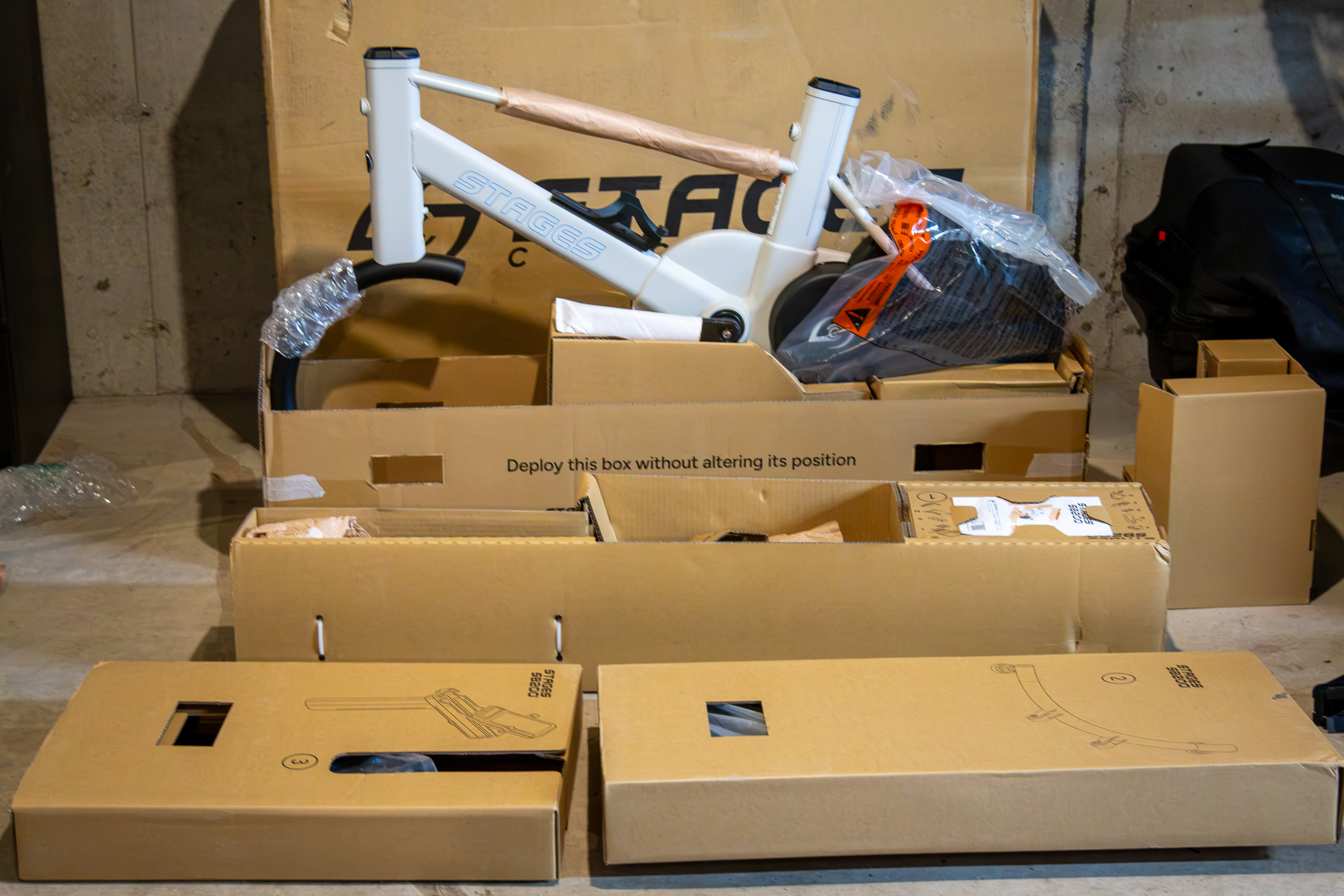
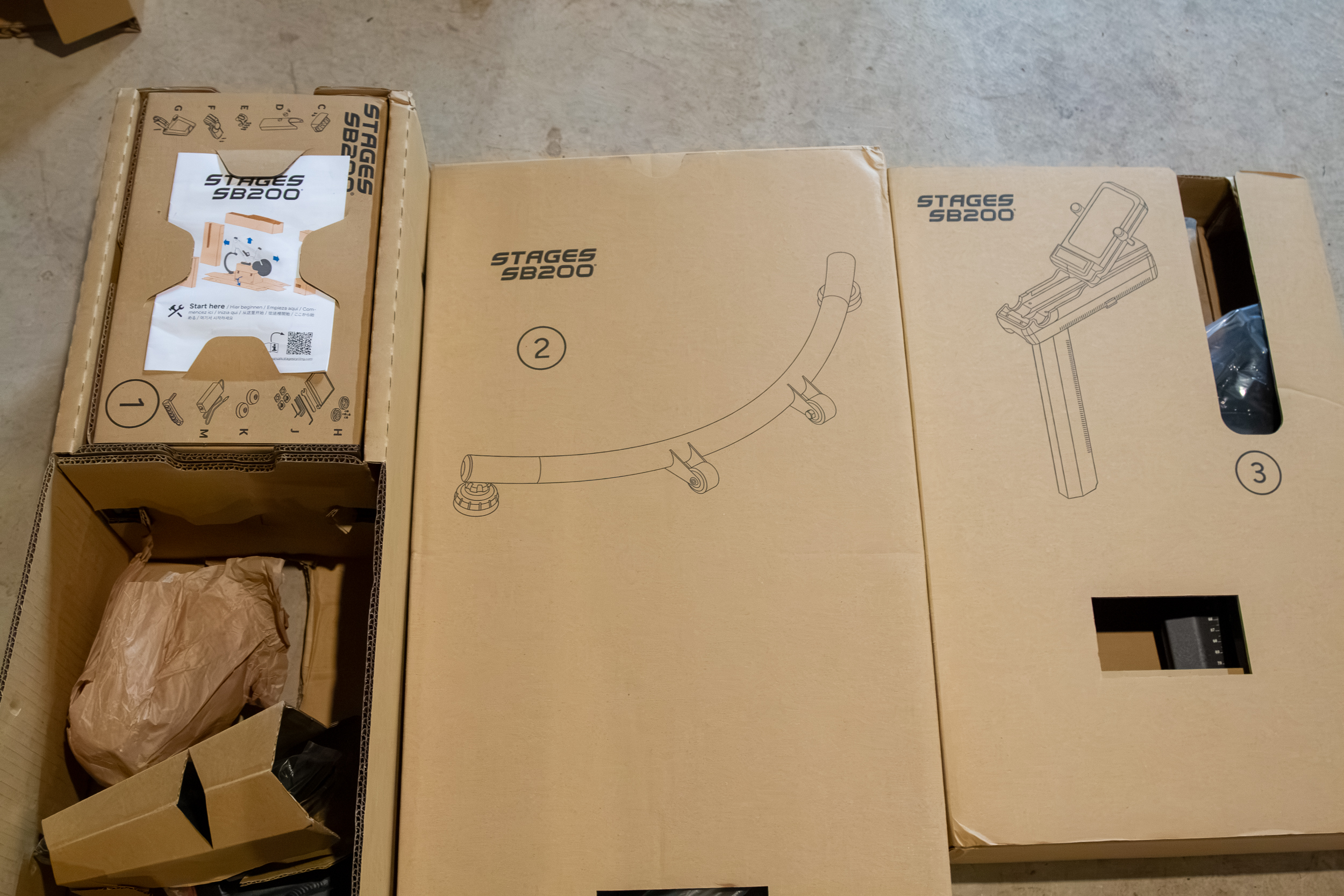
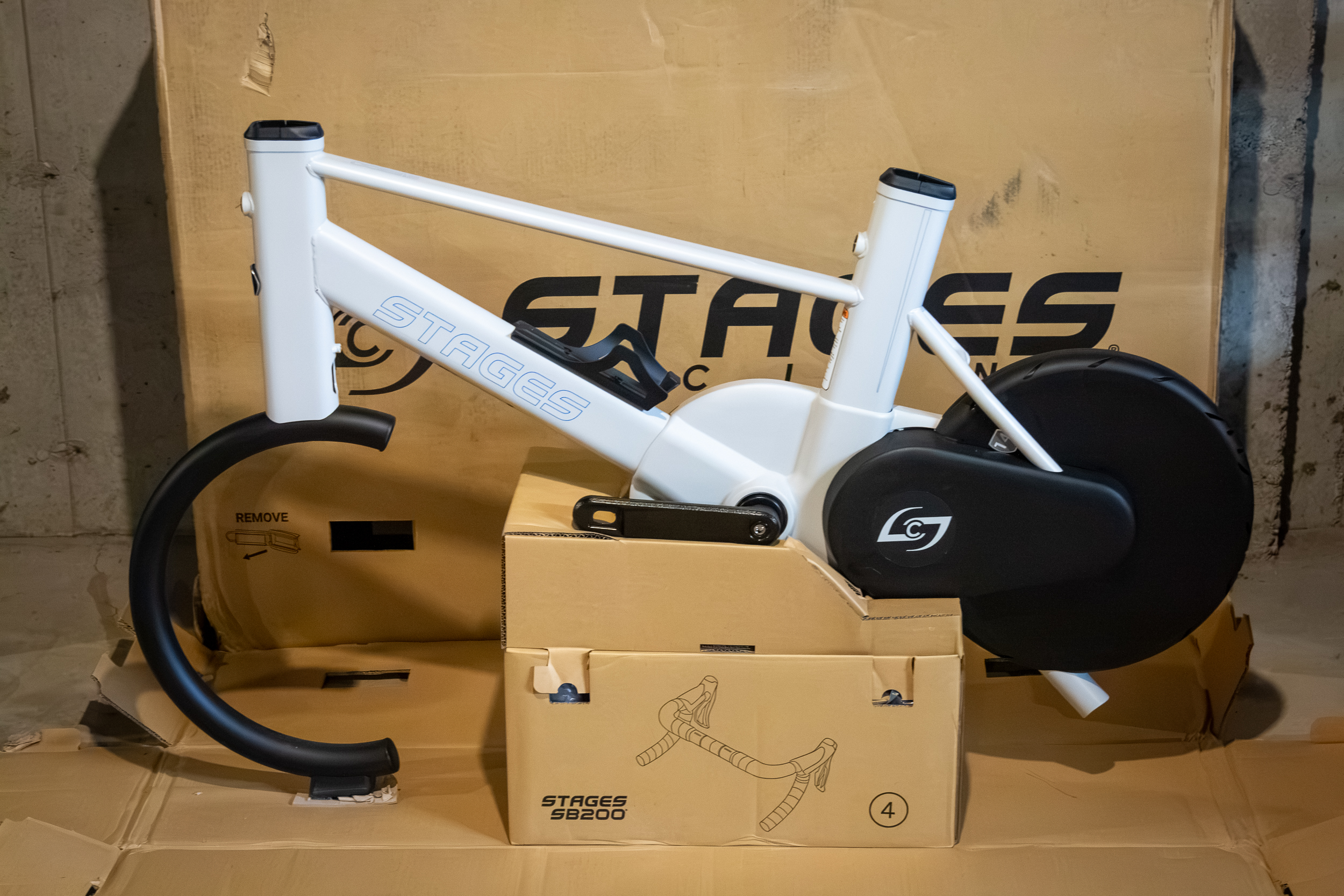
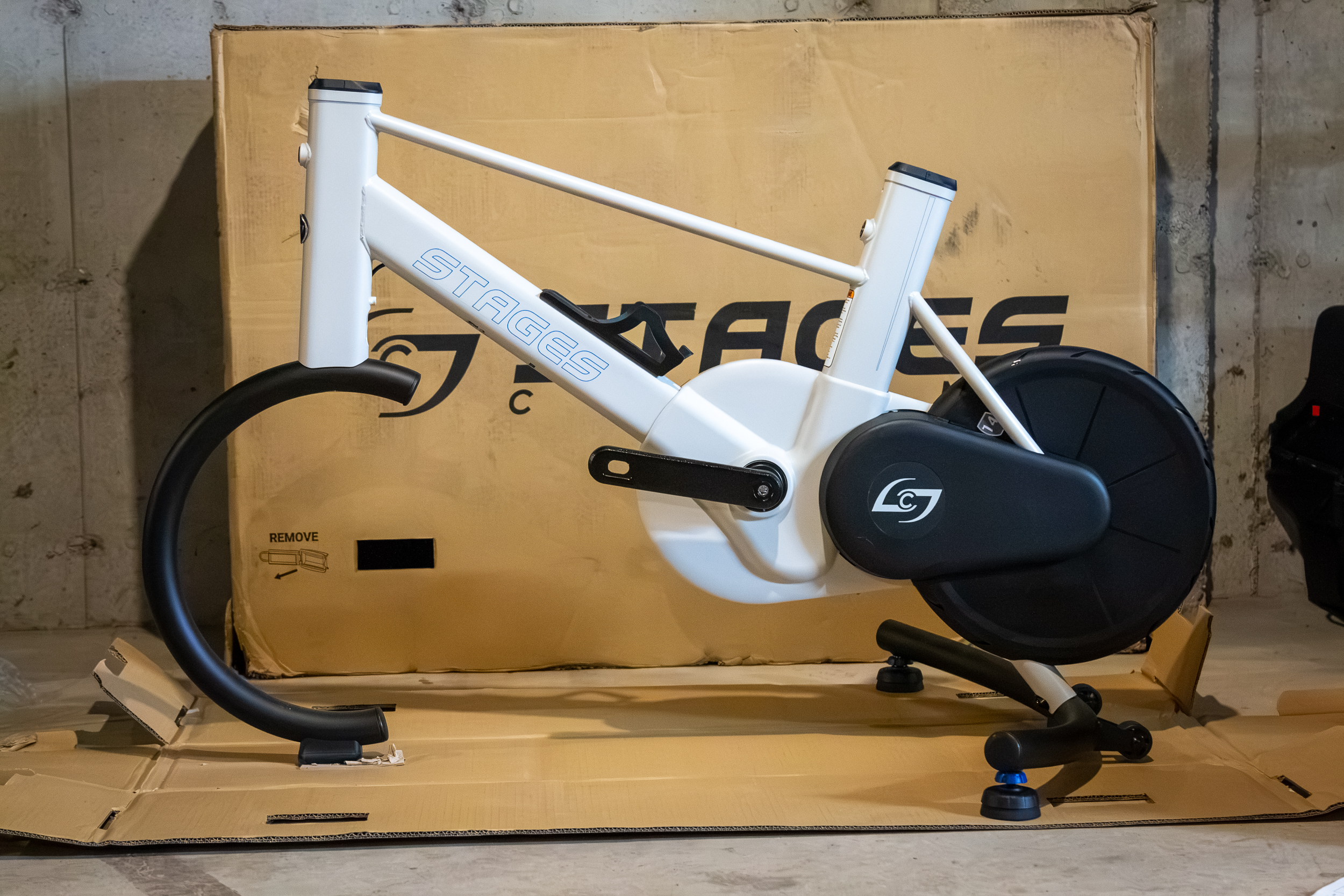
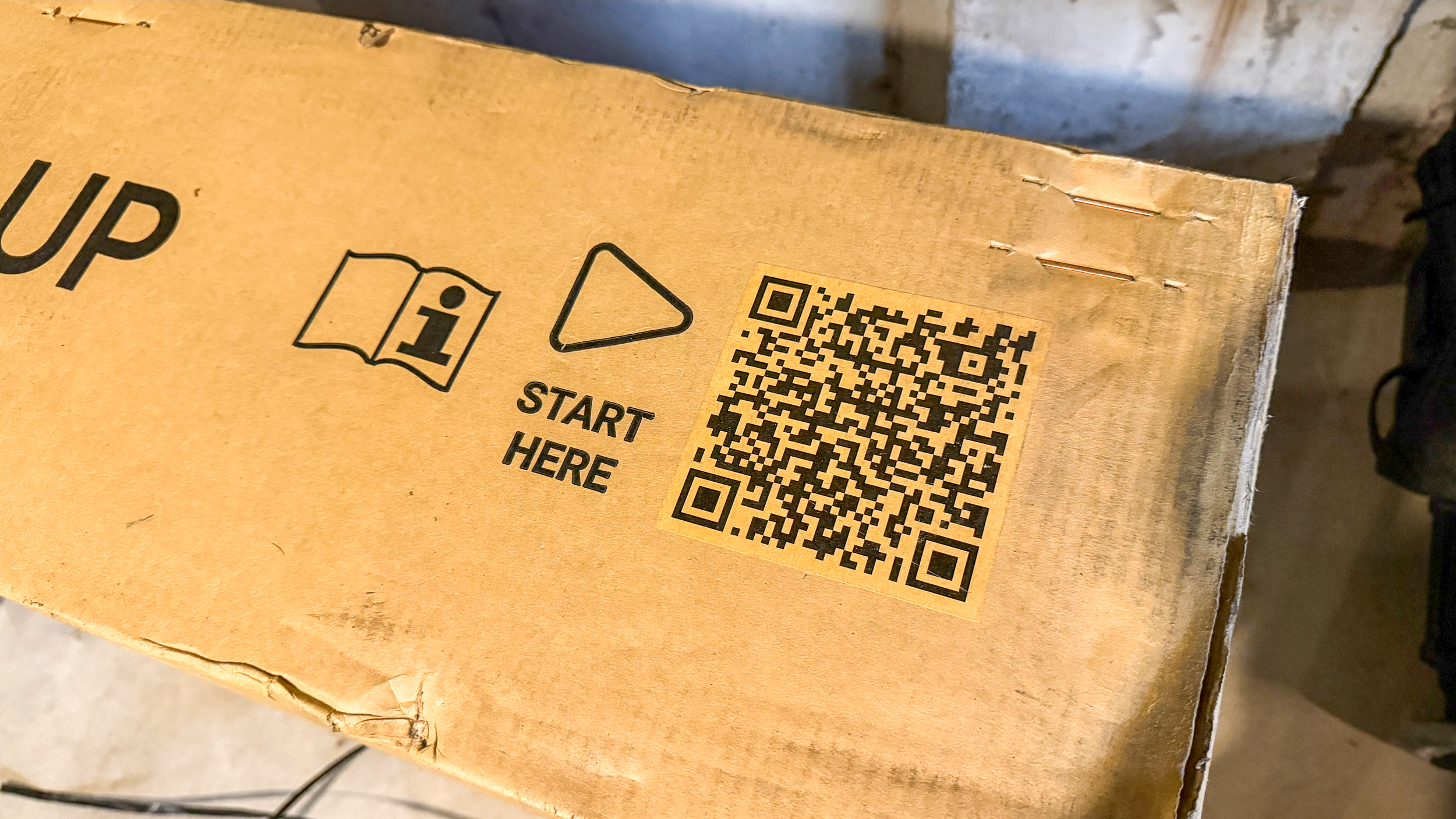
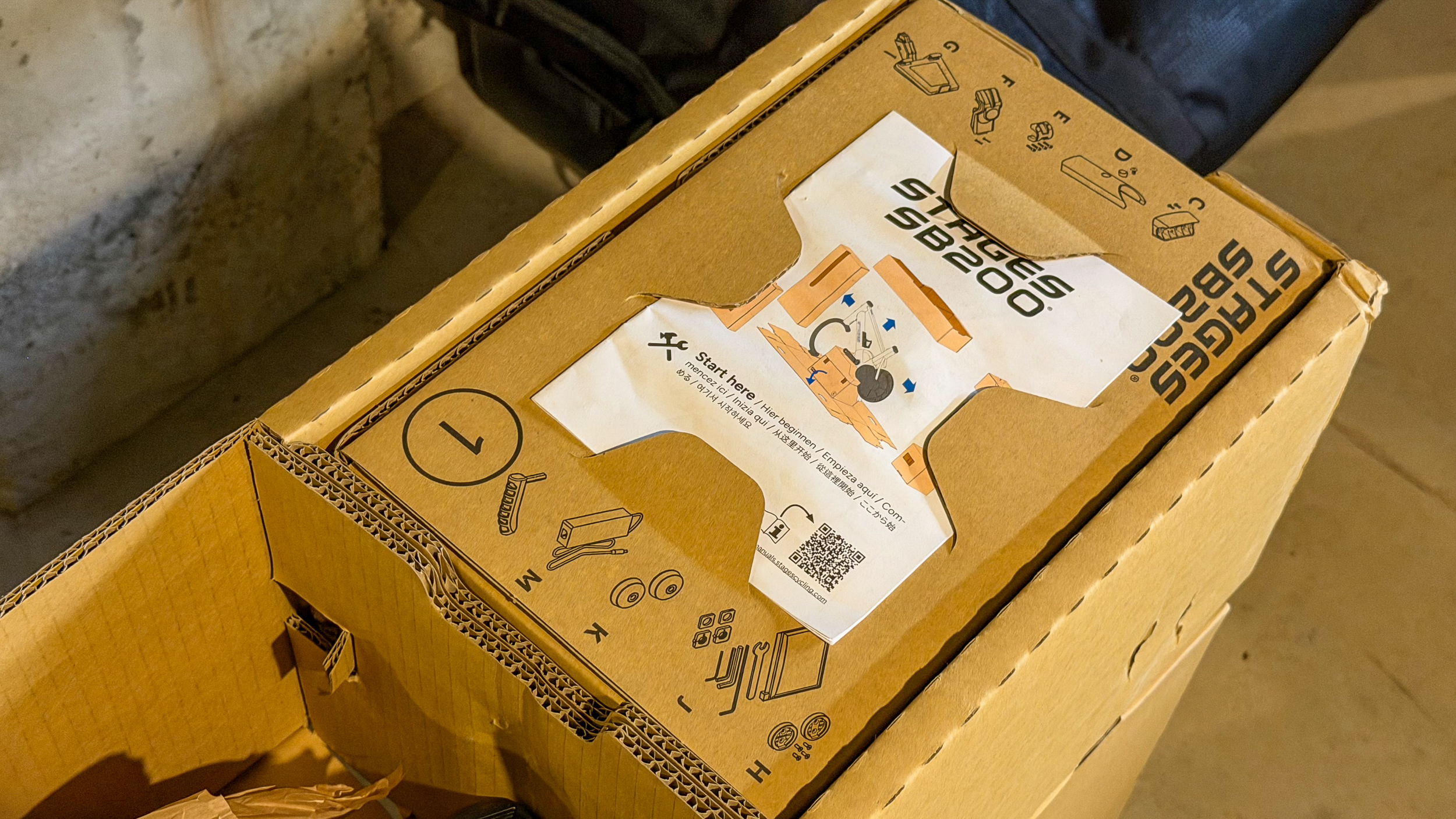
Once you remove the (hopefully) four box clips, the outer shell of the box lifts straight up, revealing the main frame of the bike on a cardboard pedestal surrounded by smaller, individually numbered cardboard boxes. Those boxes also have numerous QR codes to scan that will bring up the assembly video. If you’re not into videos, there is an instruction sheet inside as well which is the first thing you see.
Remove all of those numbered boxes, and you’re left with the frame sitting on its own cardboard work stand.
This is why it’s best to unbox the bike in the room you want to use it. The box serves as the assembly platform for the bike to make the process of installing the rear support and other pieces much easier. You could decant the box elsewhere and reassemble this setup if you had to, but it will definitely be easier if you don’t have to.
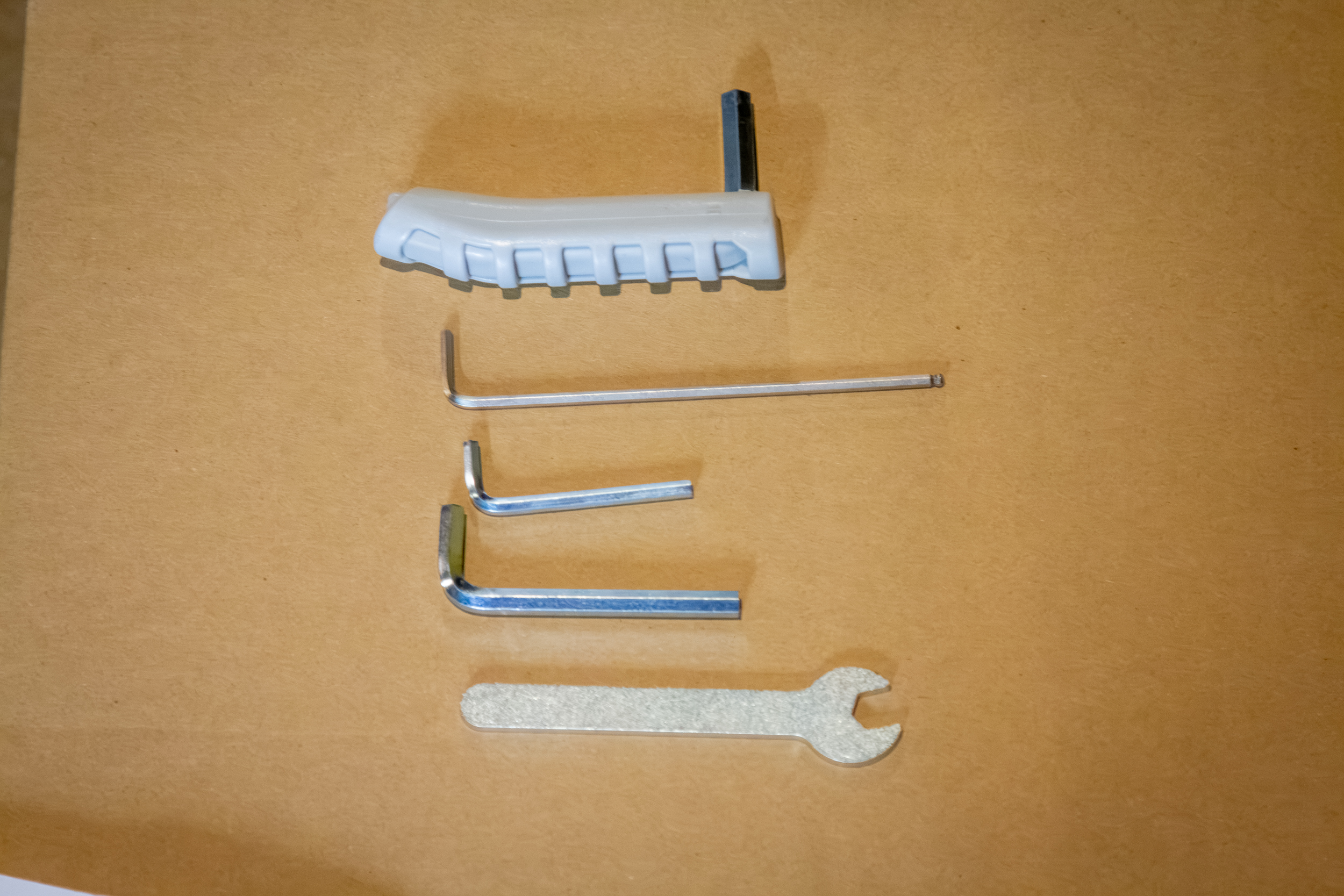
All of the tools needed for assembly are included: four Allen wrenches and an open-end wrench. Following the instructional video, it was mostly very easy to assemble. Pro Tip: Ignore the instruction to install the plastic stem cover when it says to. There’s a very good chance you’ll want to adjust the handlebar angle after the initial build, and the cover will snap into place and stay there until you’ve dialed in your fit.
Fitting the SB200
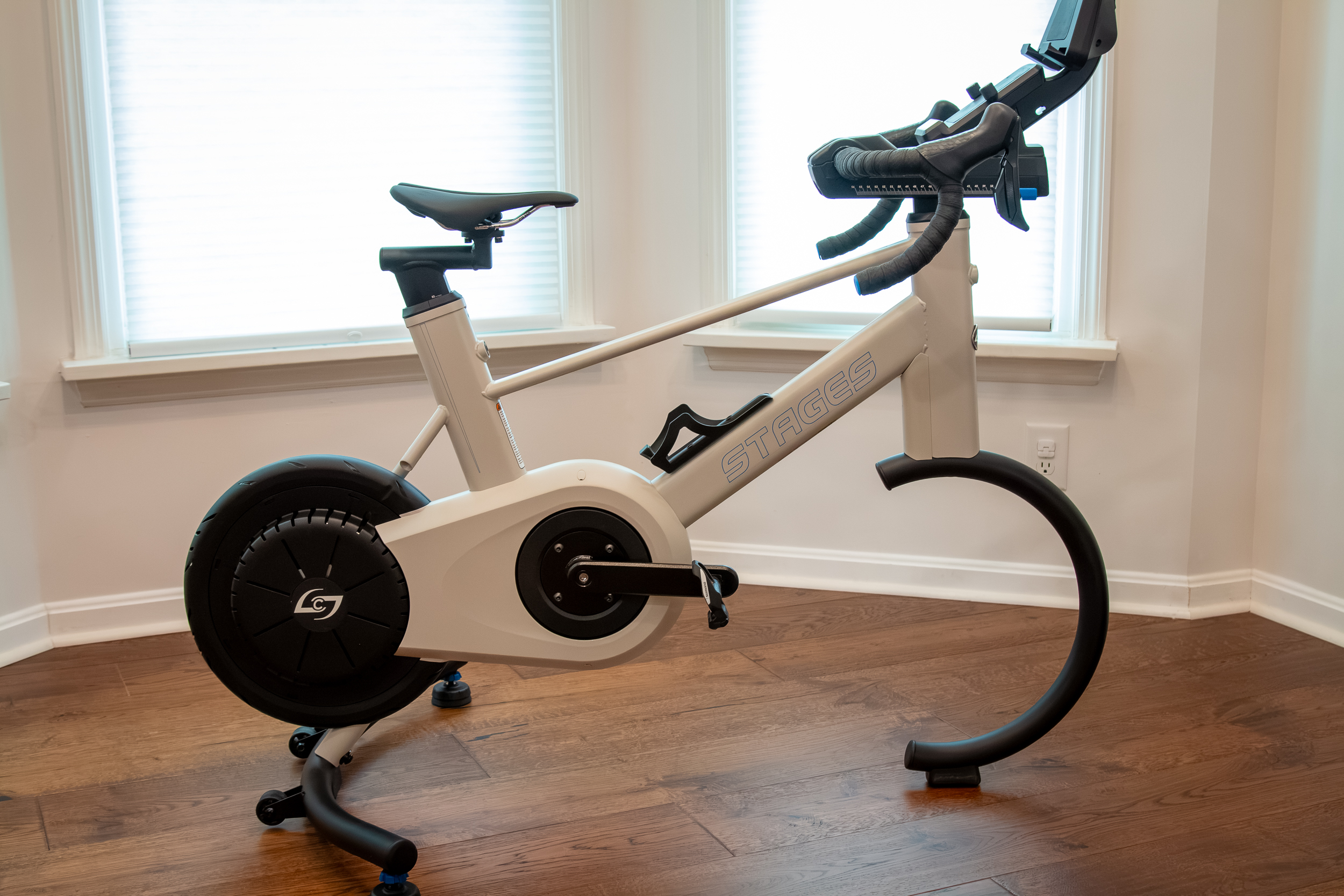
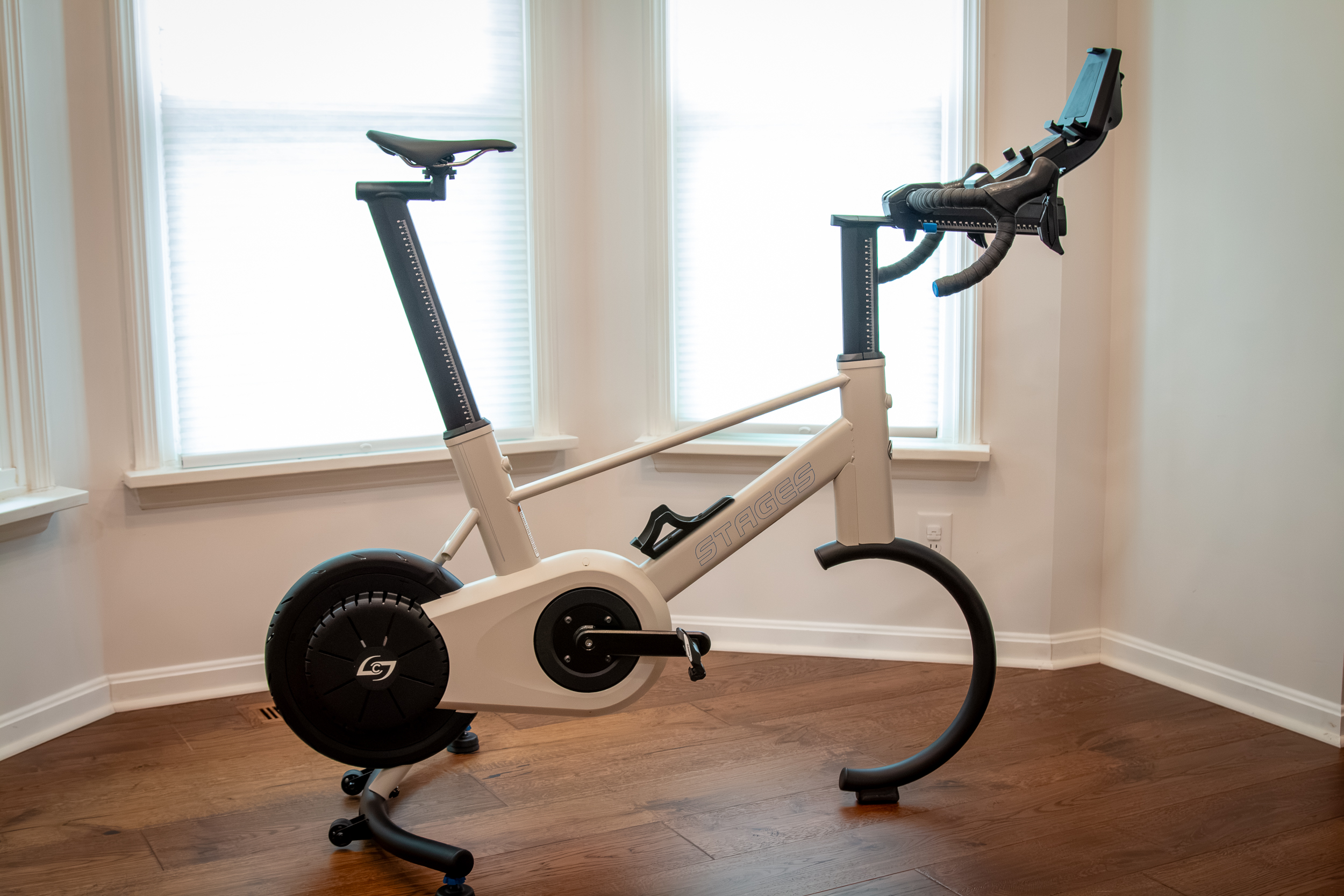
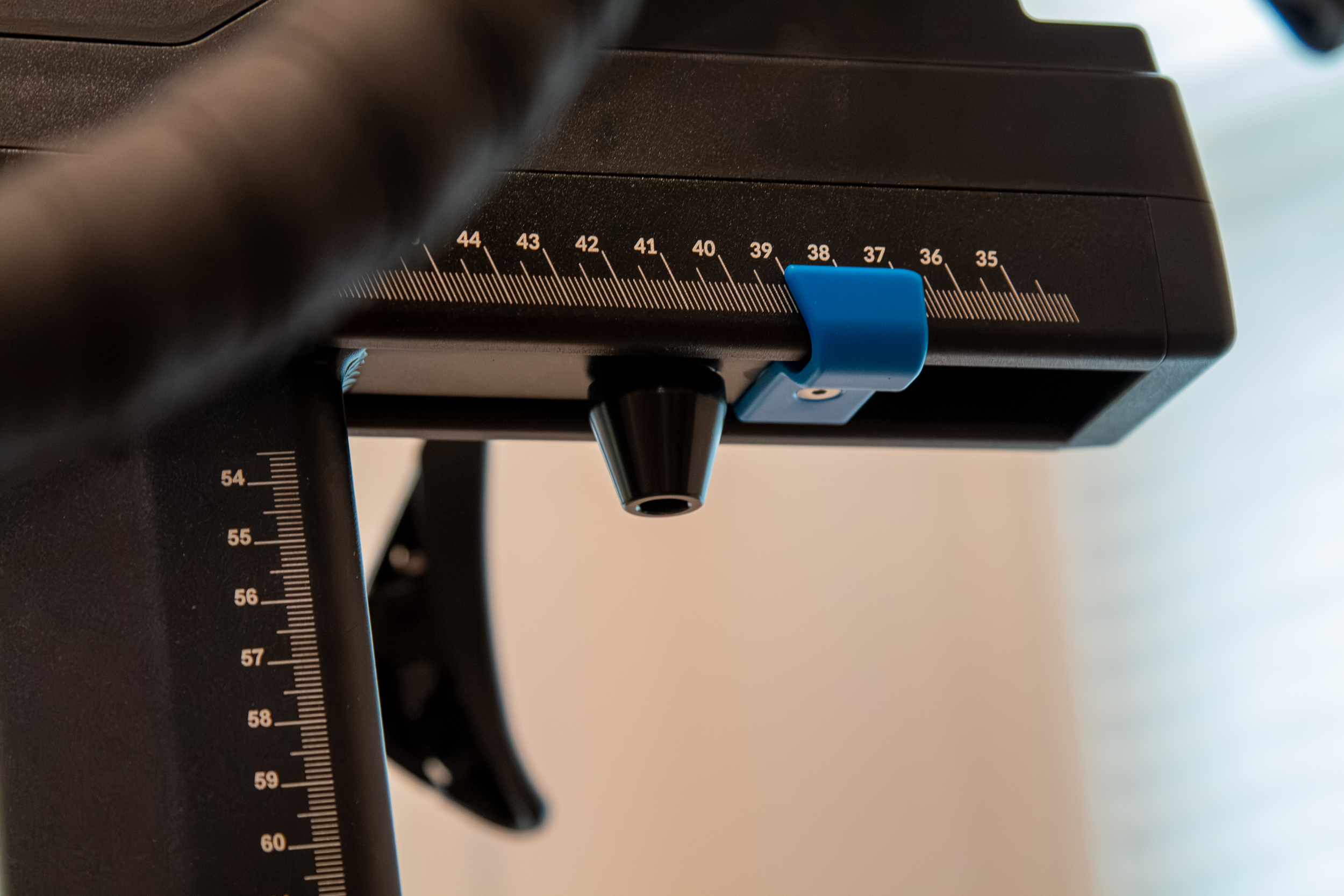
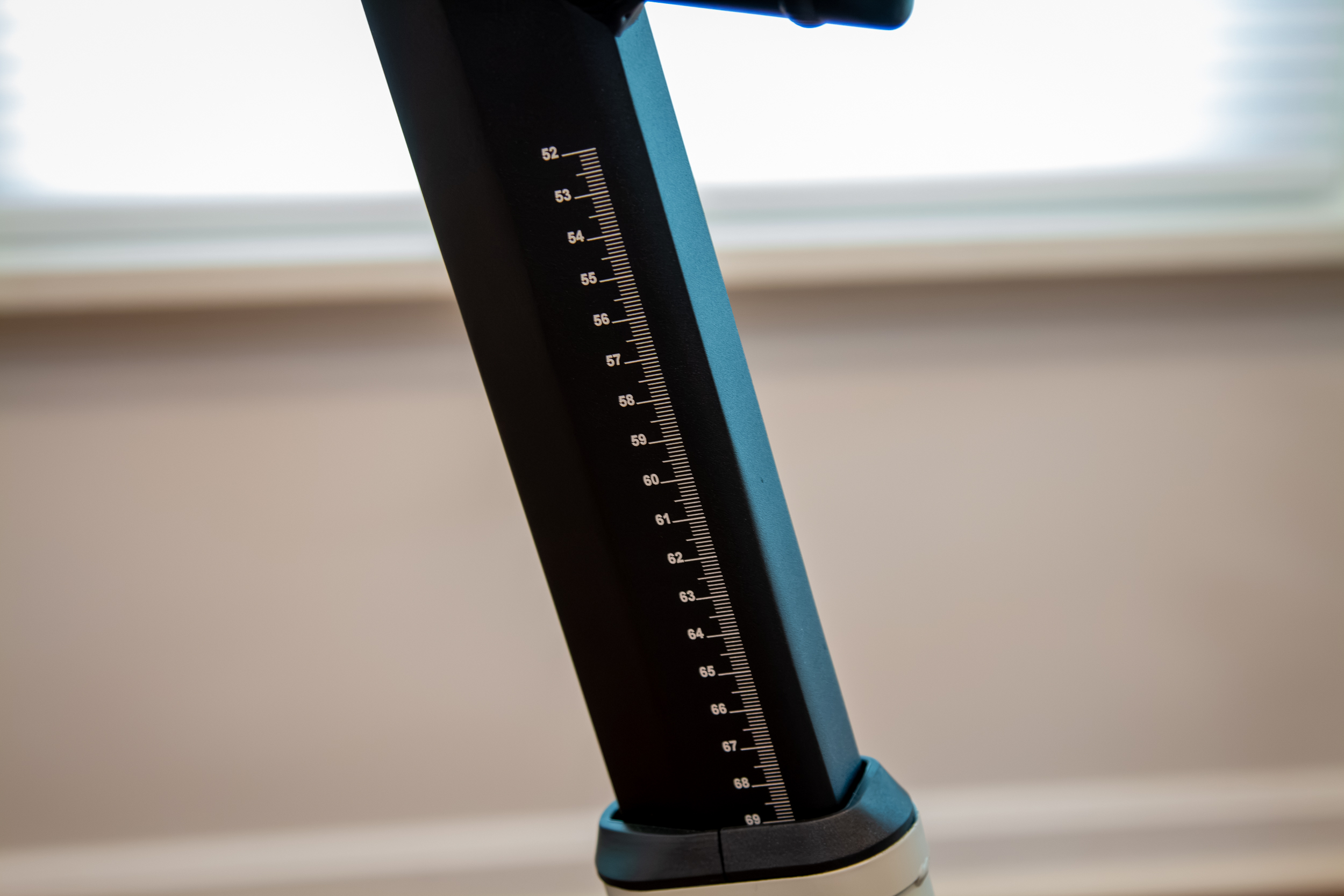
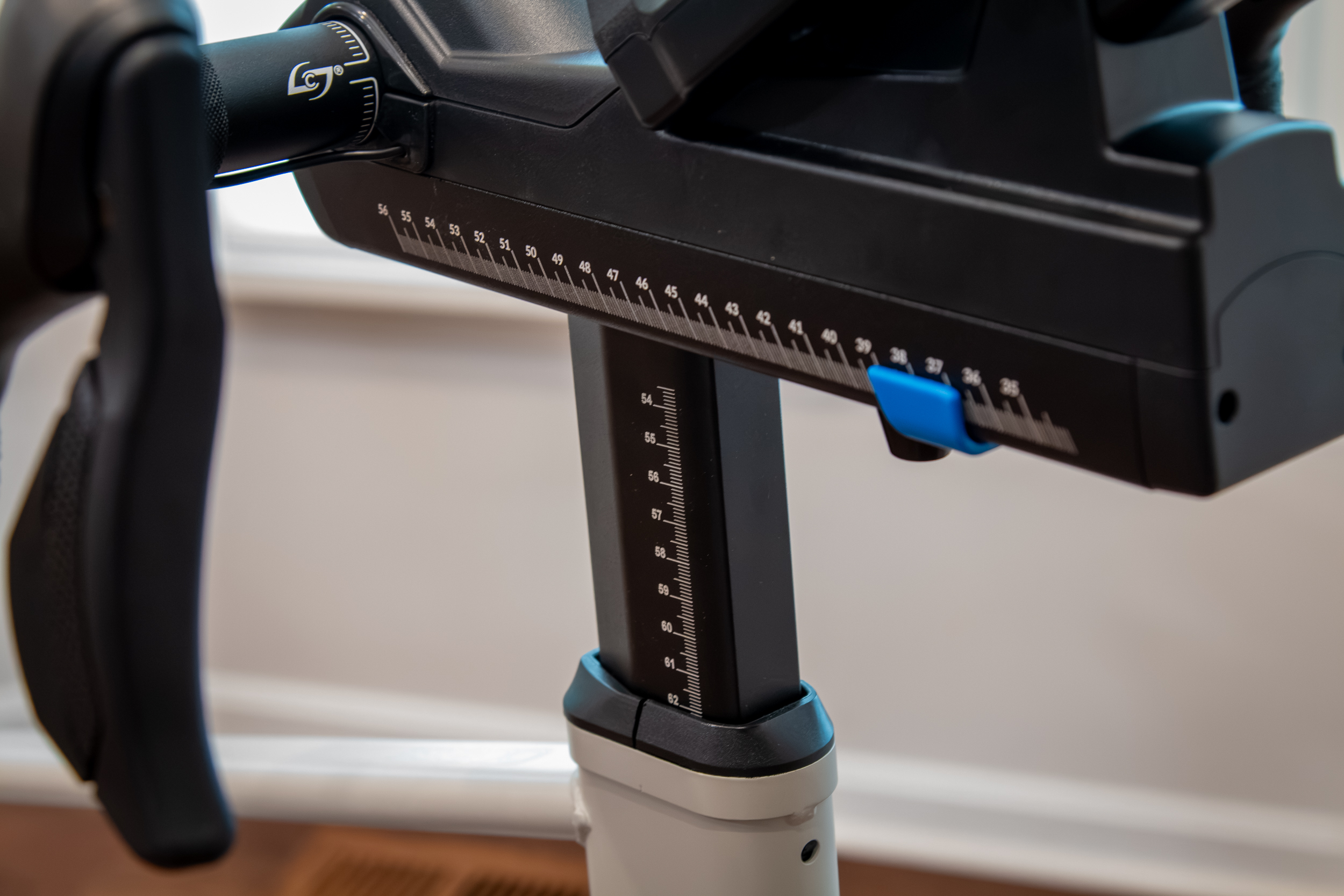
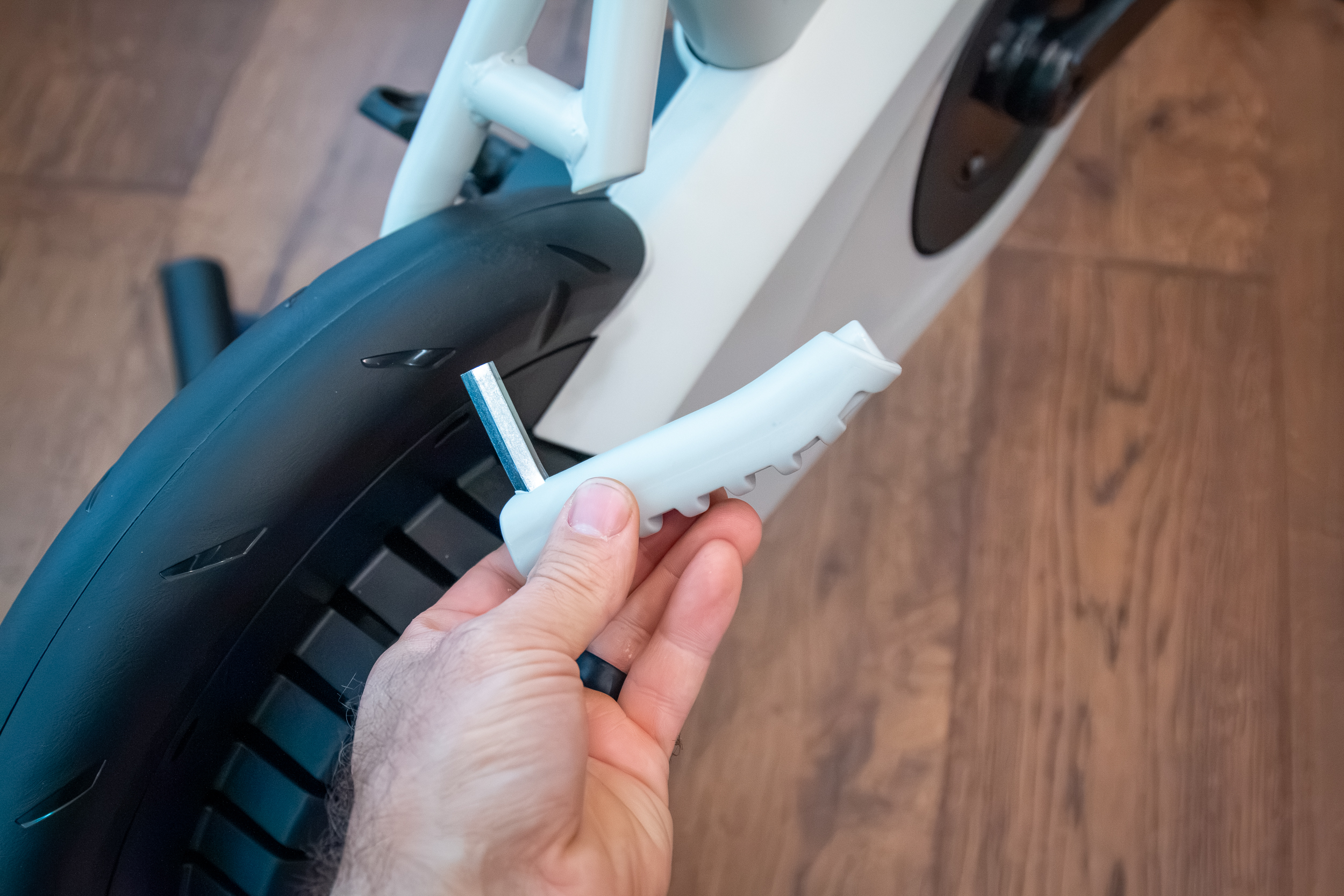
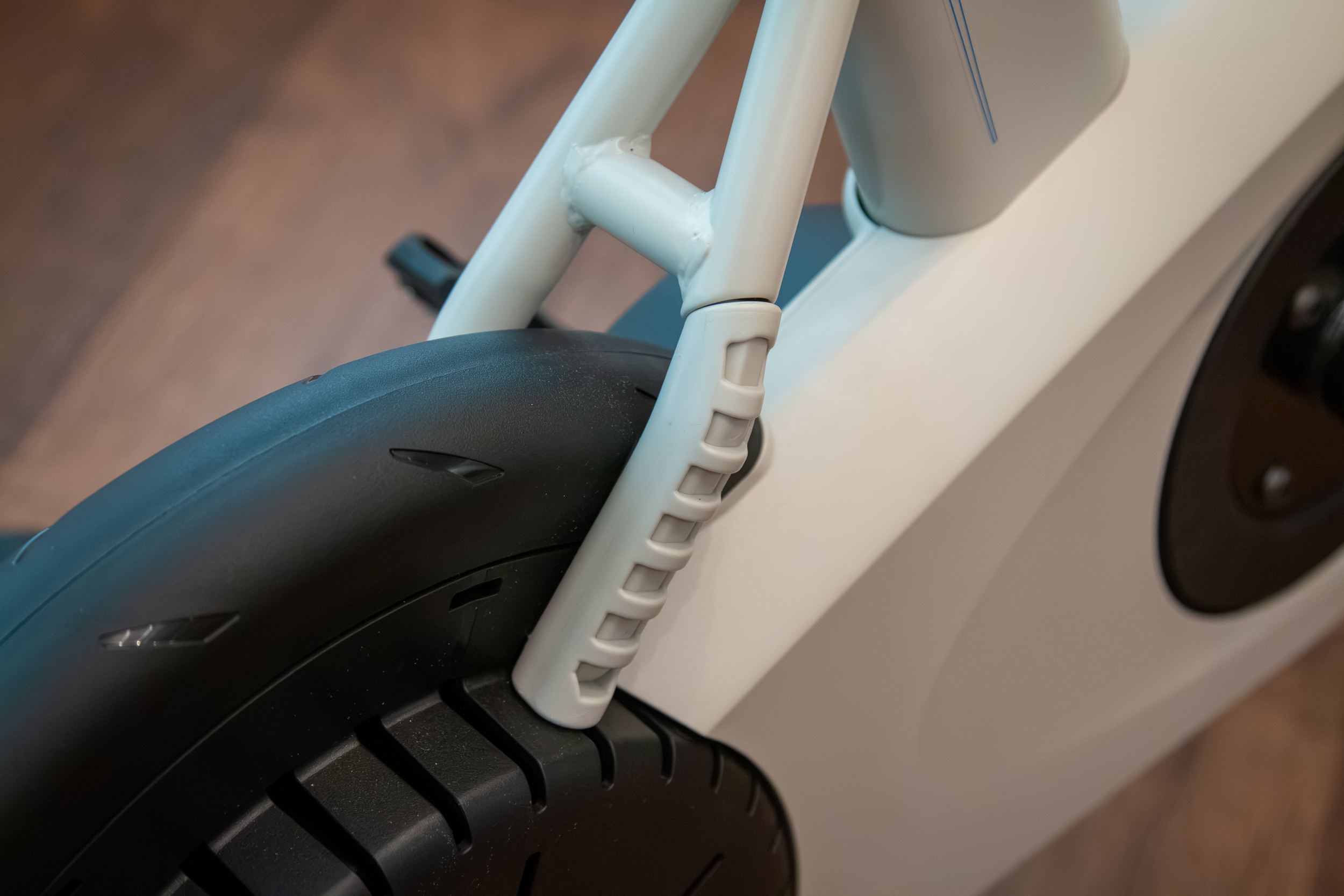
The stock SB200 is said to fit riders from 4’10” all the way up to 6’10”. Adjustments are easily made to the saddle height, stack, and reach with a single 8mm Allen key that has a magnetic dock on the drive-side chainstay (no more knobs or levers). The bike has a fixed 73º seat tube angle, but a fore/aft seat mast will be available as an accessory to dial in different effective seat tube angles.
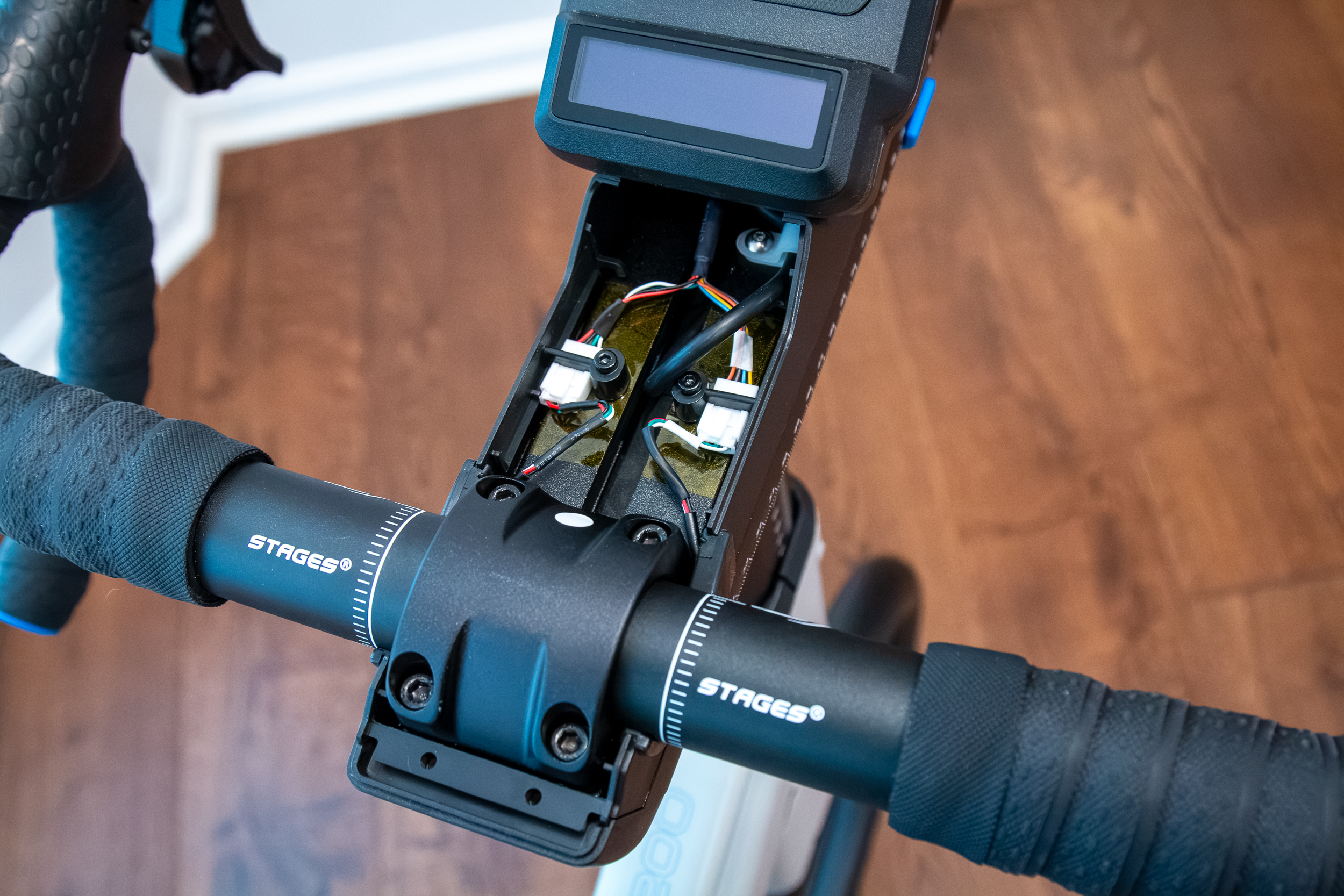
The stock bike also includes a 40cm compact handlebar with flared drops, which drops a bit from the previous 42cm used on the SB200. If you want to run something different, the bike uses a standard 31.8mm stem, and the wires are run externally from the bar under the bar tape, so you can run any 31.8mm bar you’d like. Also, that wire to the shifters means there’s no battery to worry about recharging or replacing. Just turn the bike on, and you’re ready to go. Every time.
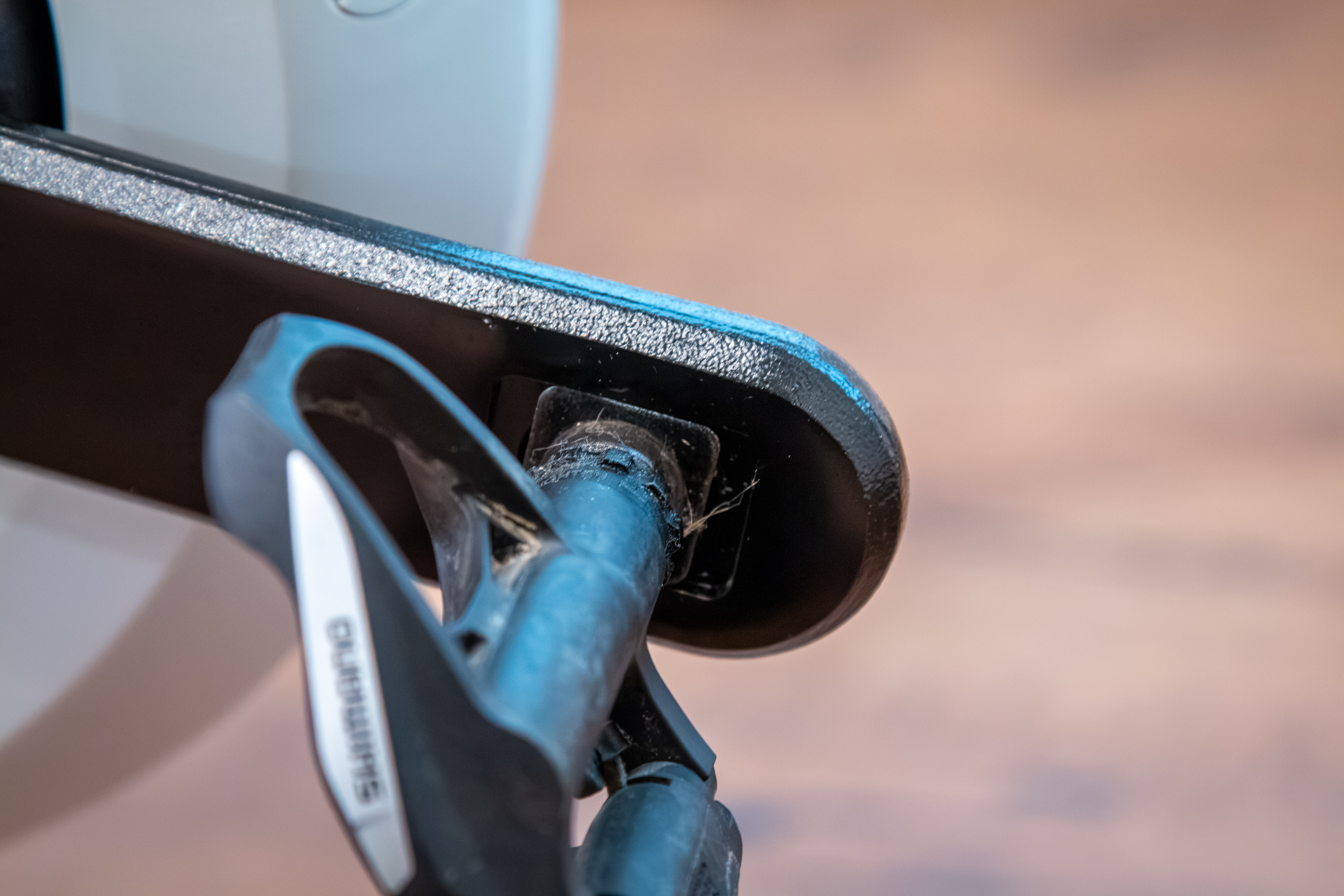
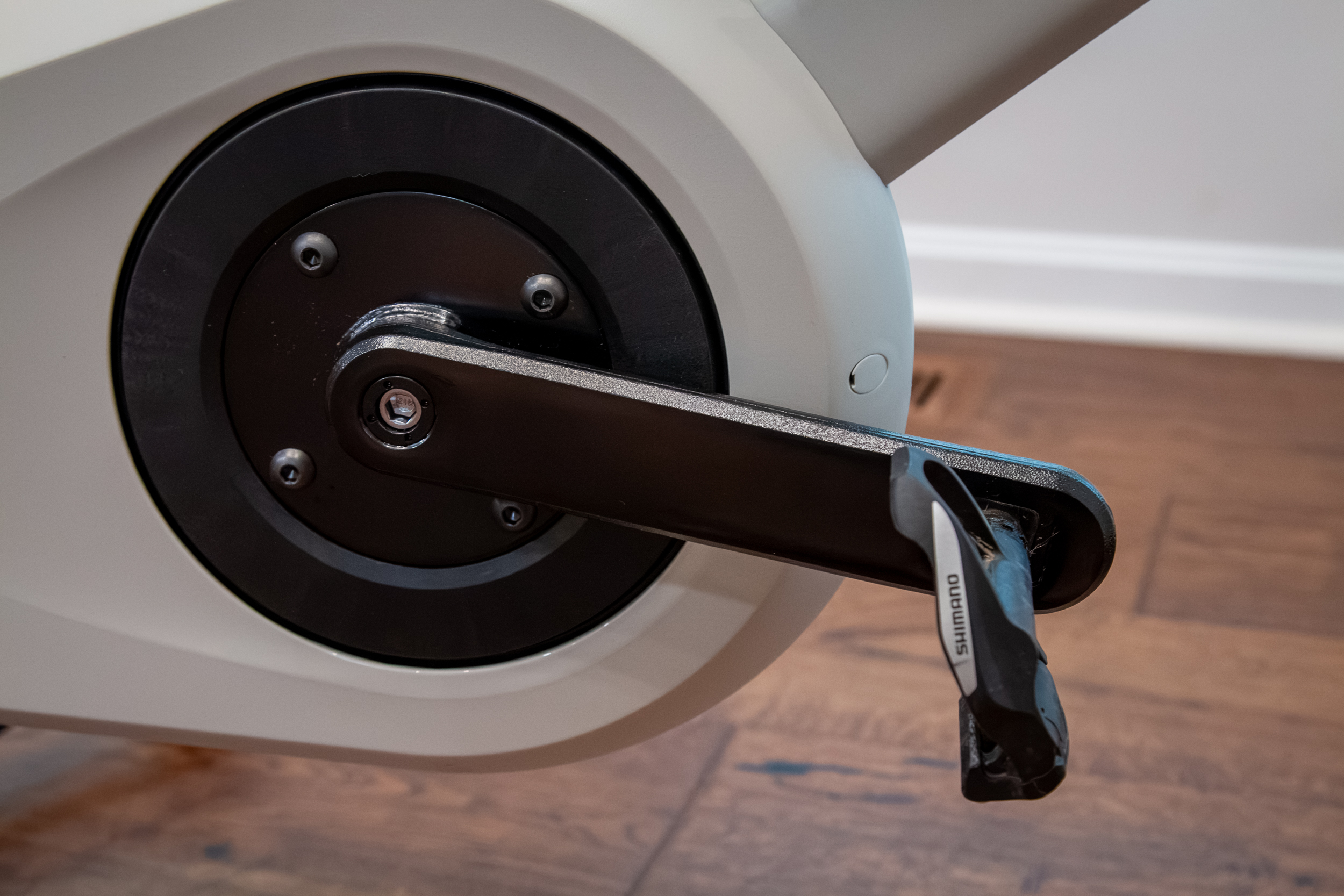
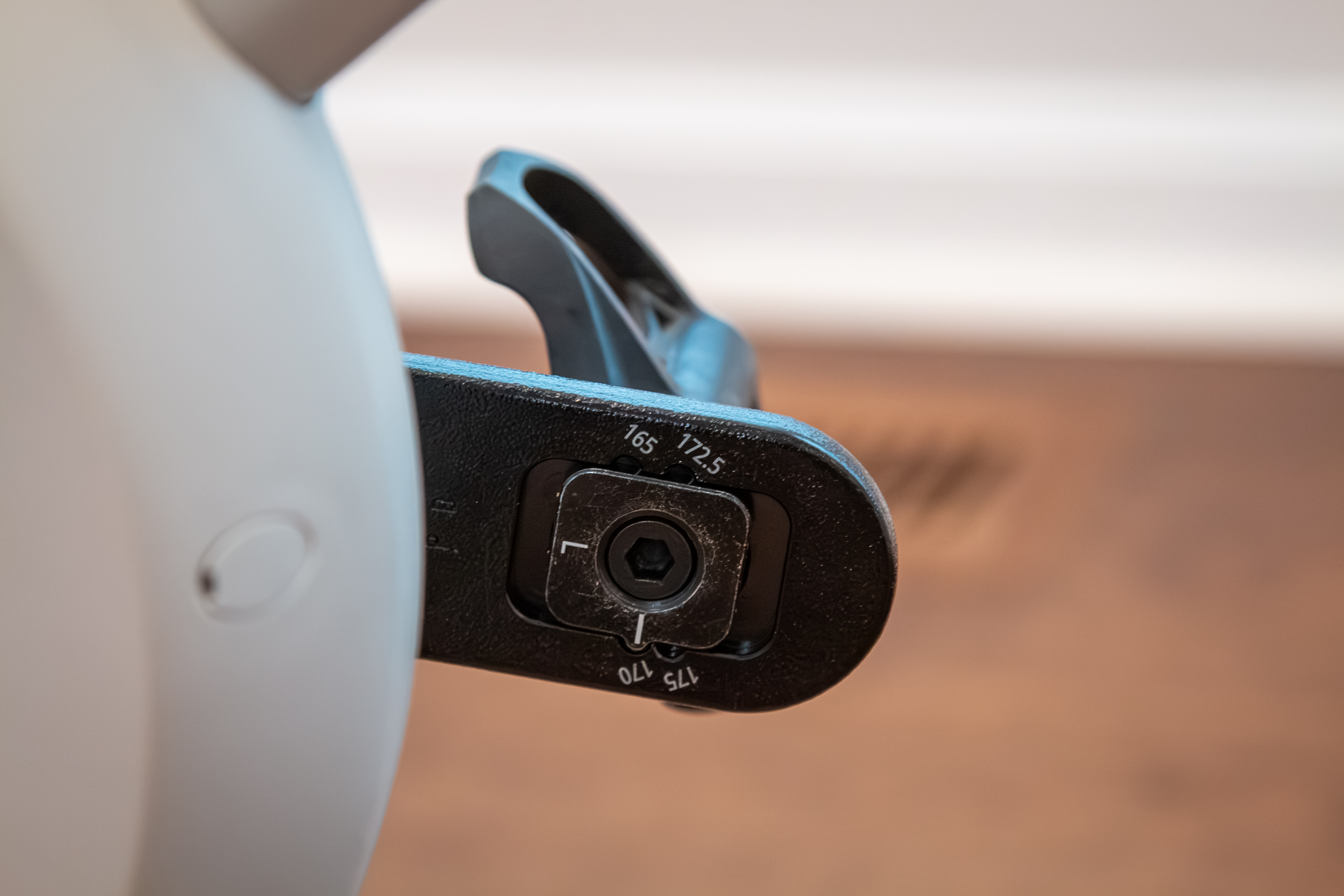
Crank length is also adjustable through a new steel washer system on steel crank arms. The cranks have a 153mm q-factor and can be adjusted to 165, 170, 172.5, and 175mm lengths. While a bit fiddly to install, the obvious benefit here is that steel is far less likely to strip out than an aluminum crank with multiple holes. And if you did somehow manage to strip it, the actual threaded portion is easily replaceable. There are a number of smart touches like that on this bike that are aimed at keeping the SB200 running a decade or more down the road.
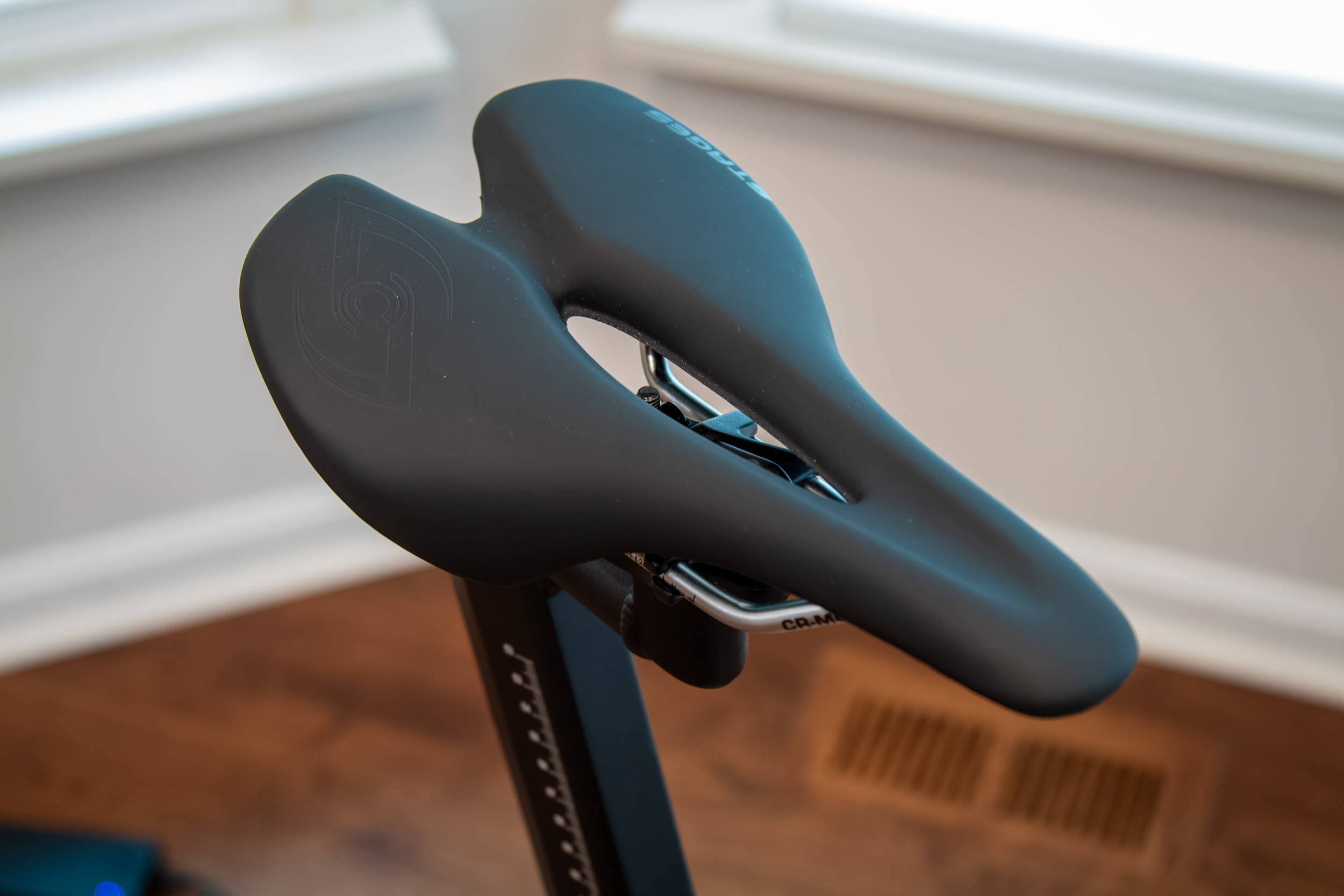
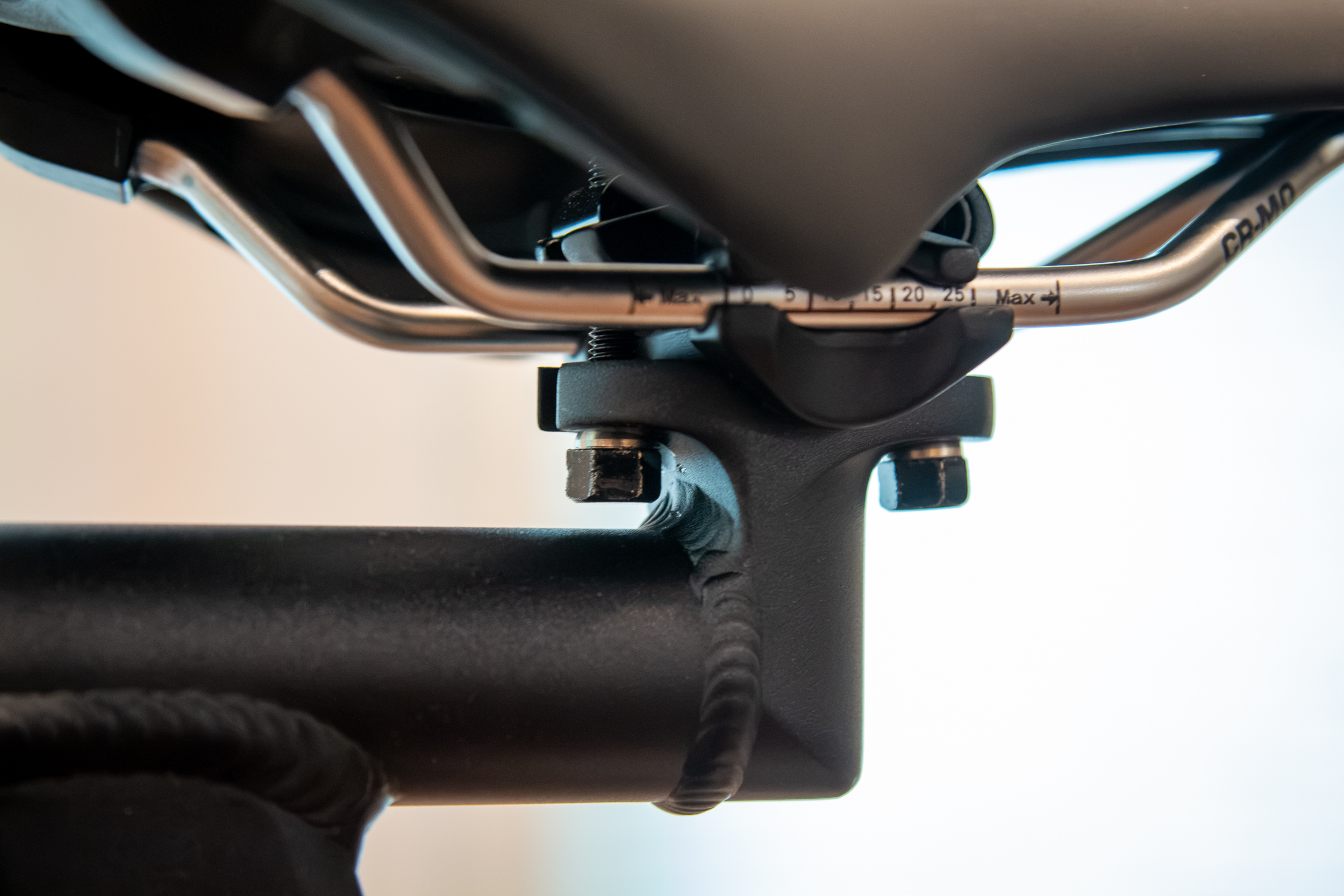
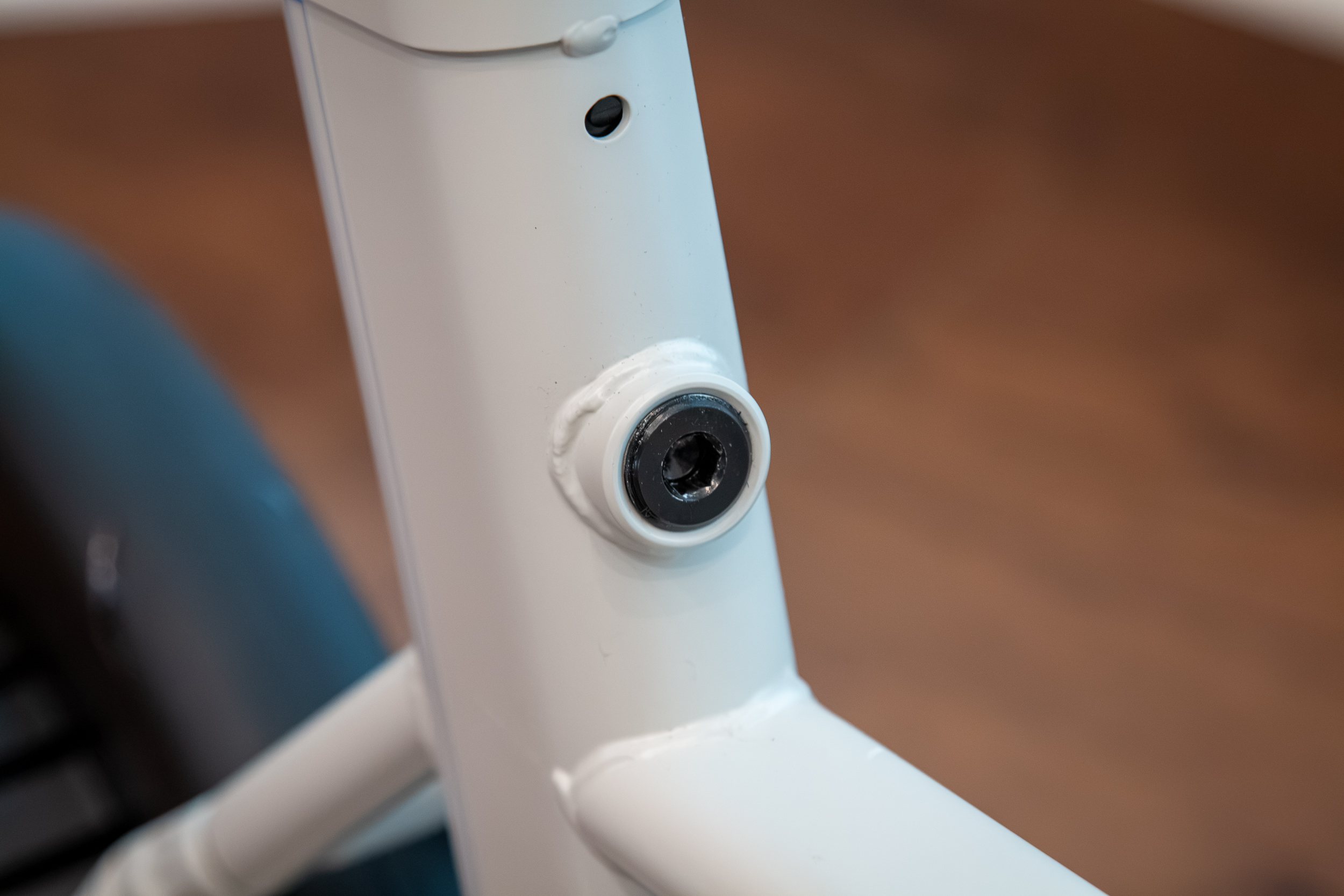
The SB200 also uses a standard saddle rail clamp, so you can run any saddle you’d like – though the stock saddle is actually surprisingly good. What’s not so good is the bolts used for the saddle clamp. The hex heads are a pain to adjust, and will make you think twice about swapping saddles or tweaking the position. On the plus side, if you manage to break one down the line, you could probably find a replacement at the local hardware store.
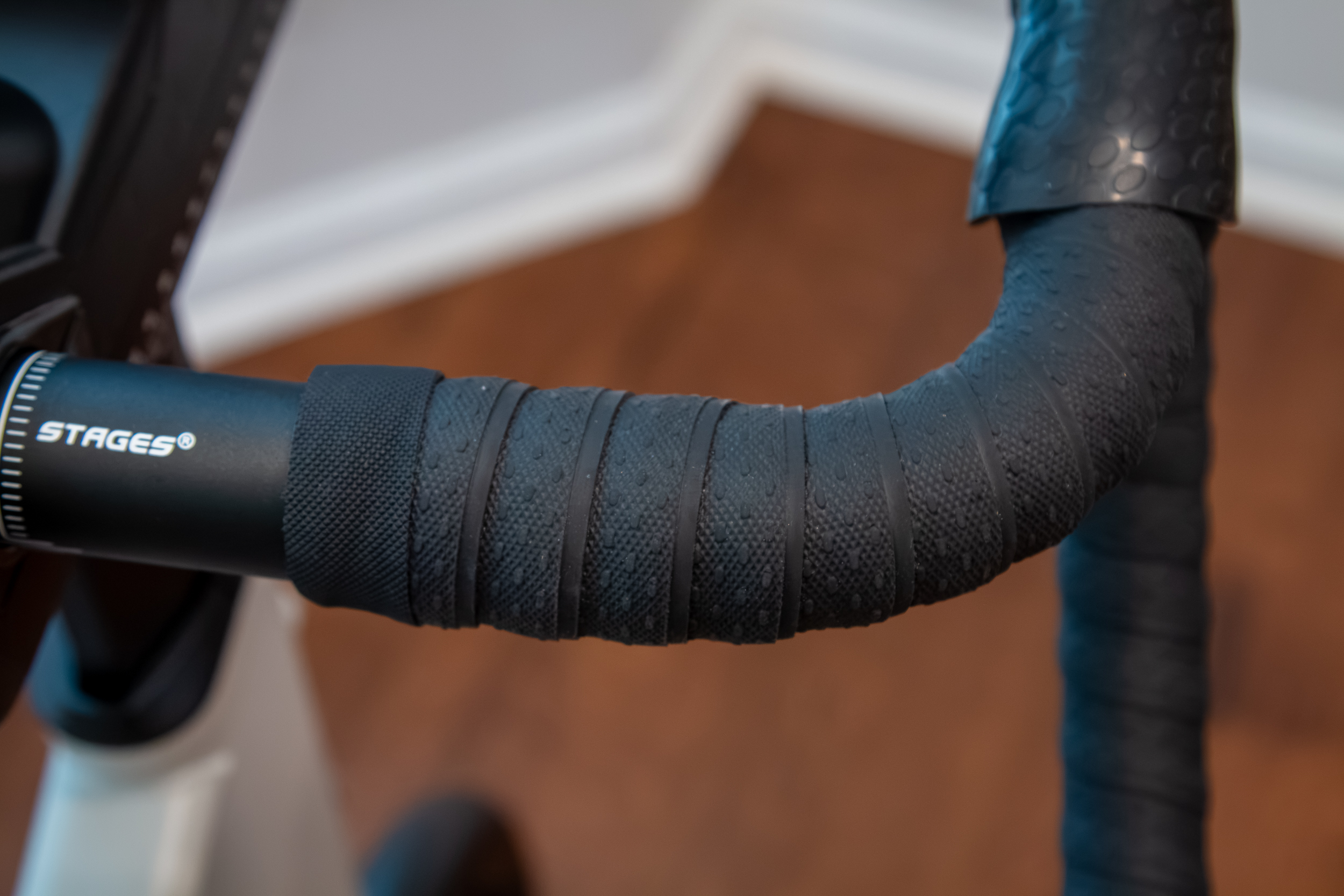
As is the handlebar tape. It was specifically chosen for something that would remain durable and grippy after countless sweaty hours in front of your preferred virtual training program.
Overall Design
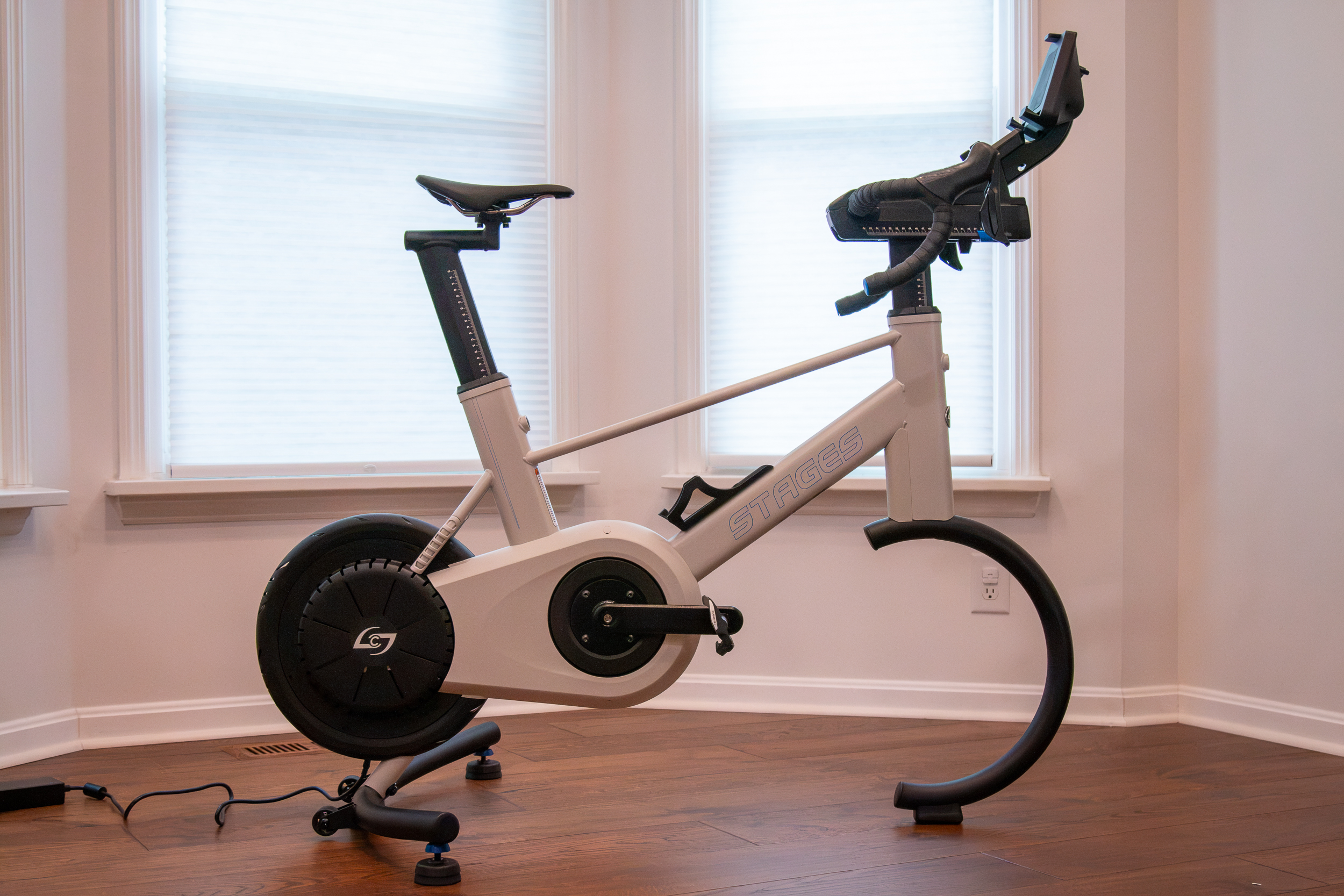
Stages says that they put a lot of effort into the overall design of the bike to make it appear at home in any environment. That could be as a showpiece in a high-end office building, or in the corner of your unfinished basement pain cave. To that end, it’s their first-ever bike that’s not a shade of grey, but a shade of off-white called Milk Tea with blue graphics.
The curved front end gives it the look of a complete bike, but it’s important to point out that it’s quite a bit shorter than a full-size bike on a trainer with the front wheel attached. It also seems shorter at the back than many trainers, which left me surprised by how much more space I had when I set it up to replace a bike on a direct drive trainer.
Length:
- Min: 127cm (49.9in)
- Max: 137.3cm (54.0in) +10 cm (3.9in) with tablet holder
- Width: 80.4cm (31.6in)
Height:
- Min: 97.9 cm (38.5in )
- Max: 117.2cm (46.1in): +14.8 cm (5.8in) with tablet holder
Rock a Bit
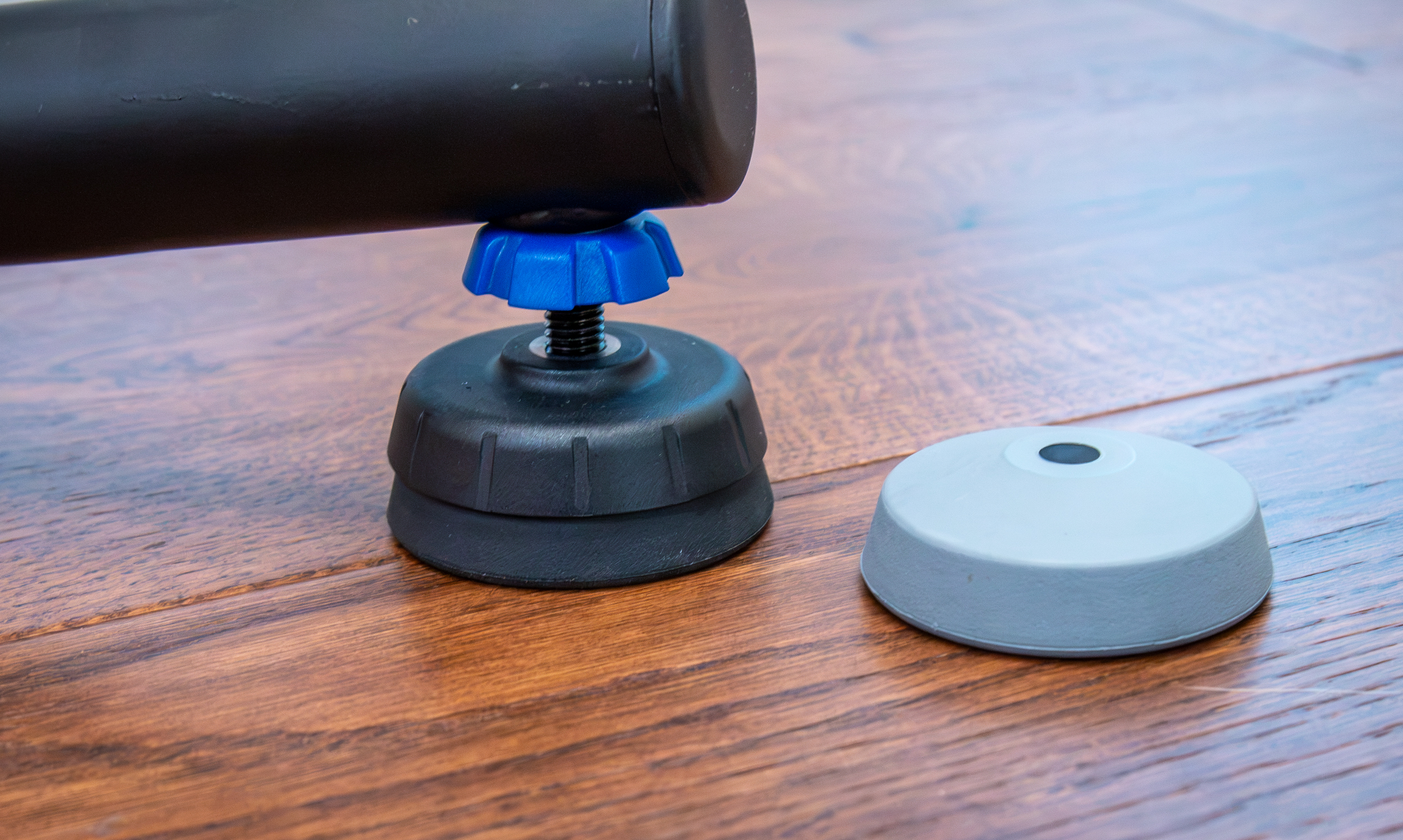
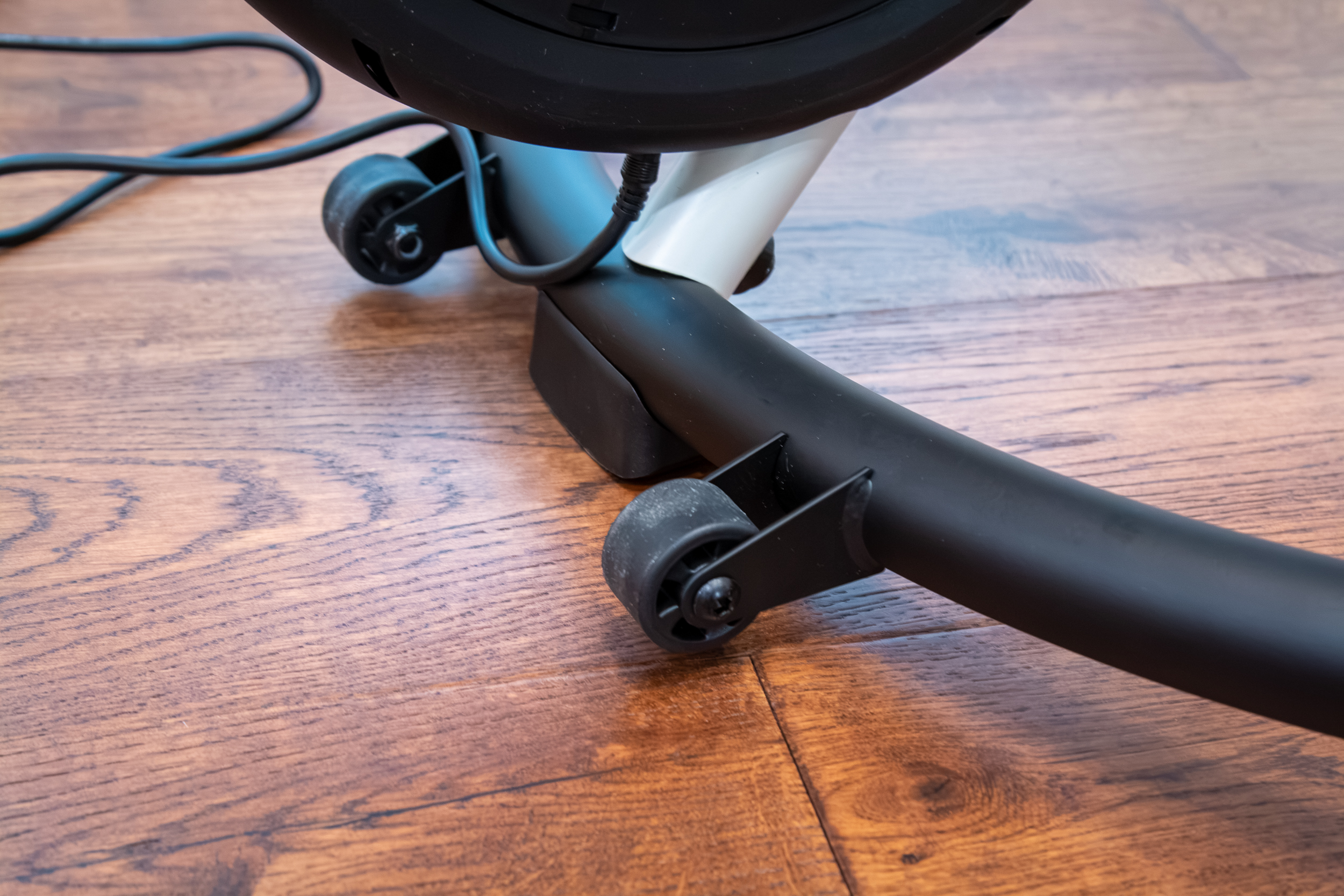
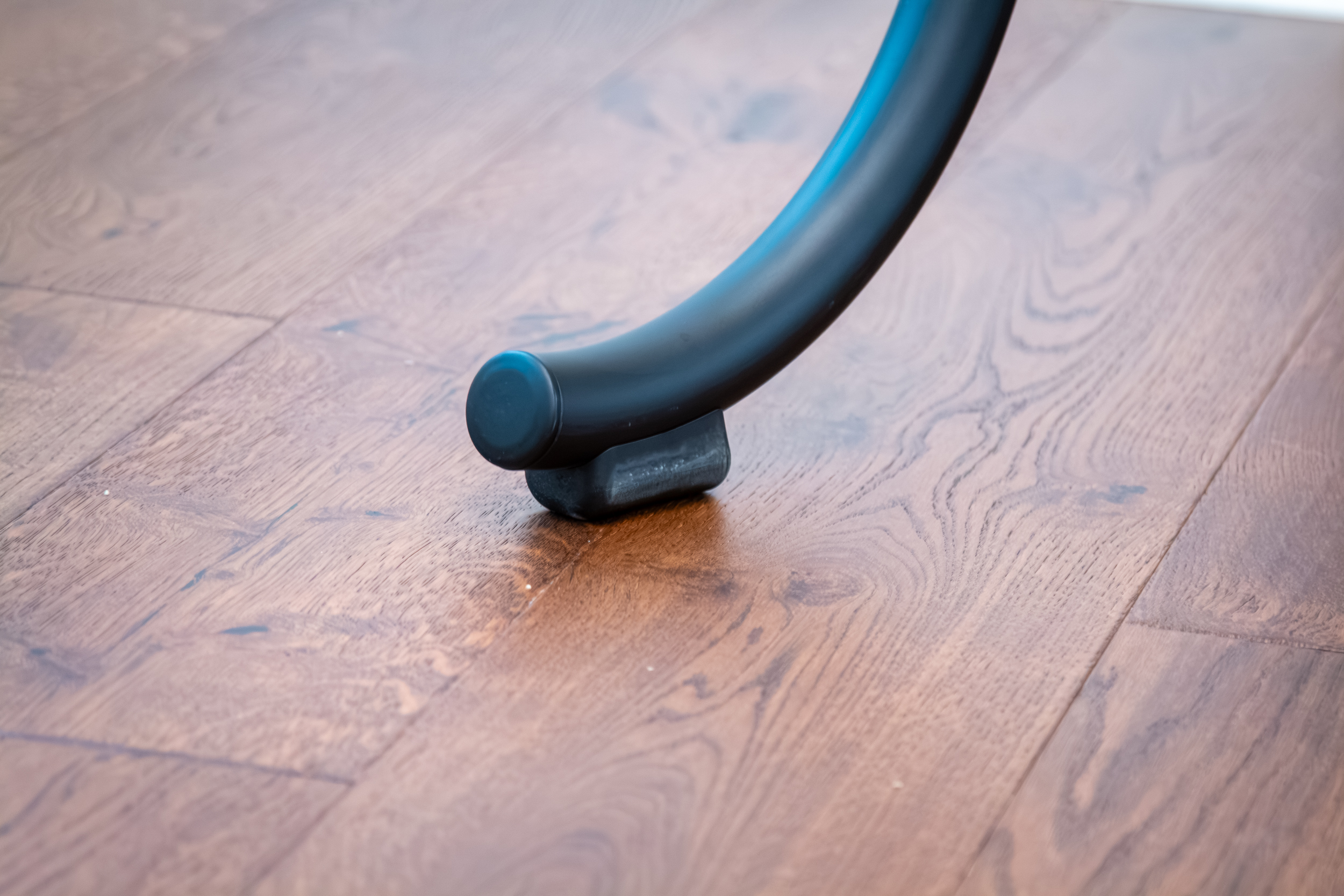
The original SB20 was solid as a rock. The SB200 softens things up a bit. Following a similar trend for other trainers, the outrigger includes flexible contact pads that allow for 2º of movement from center to each side. This is meant to relieve pressure over longer periods and provide comfort through natural movement.
Those that want less movement can swap to the included grey pads, which are stiffer. Or even swap to the Rigid Ride accessory – a forked front stabilizer that makes the SB200 as rigid as the original SB20.
Far Easier to Move Around
The SB200 is designed so that you can easily move it by picking it up from the front ‘wheel’. Lift it high enough, and the two wheels on the stabilizer will contact the floor, and you can wheel it around. We wish the wheels were larger diameter to work better over workout mats, etc., but it’s still pretty easy to move.
Still the Leader in Inertia?
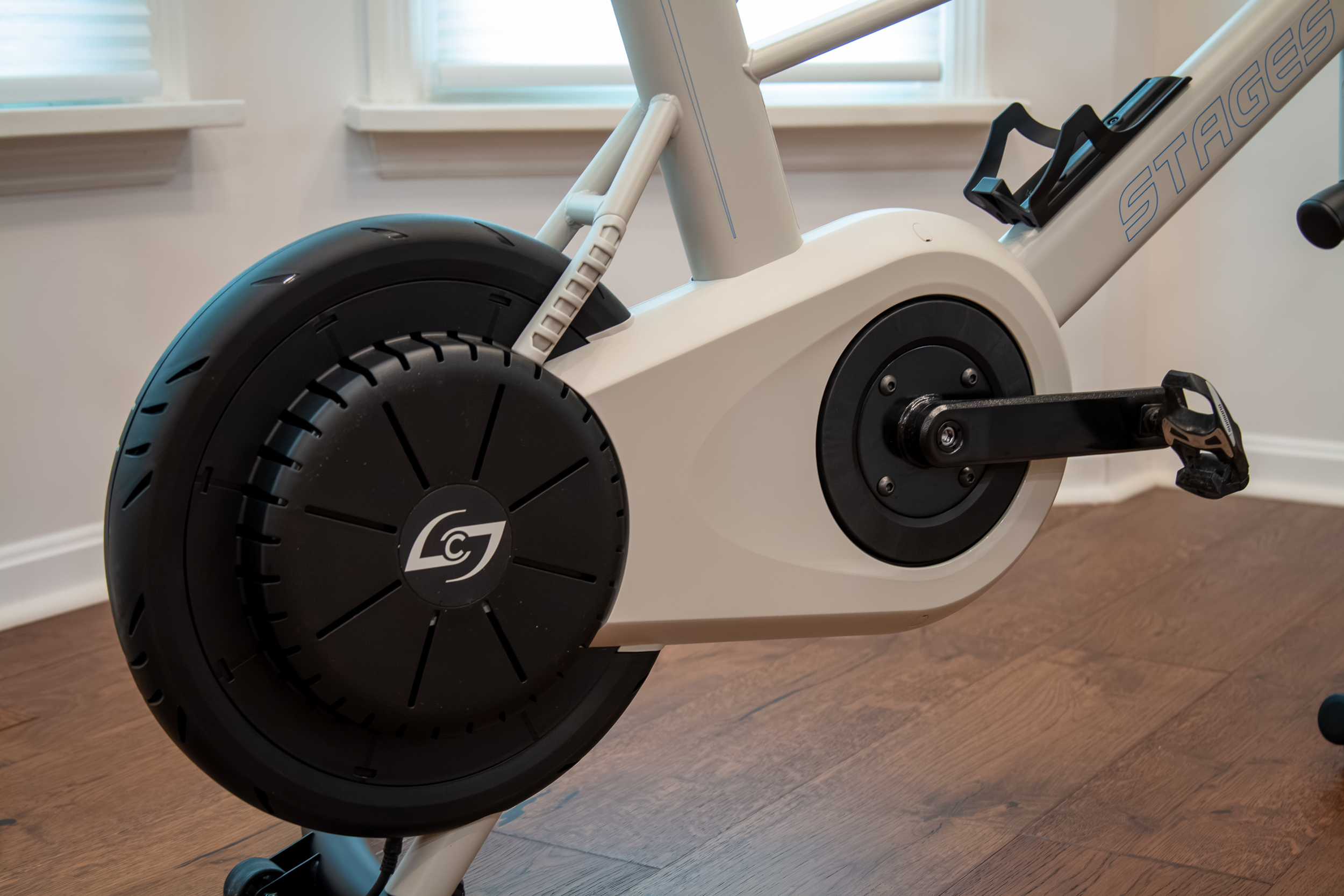
One of the things that made the SB20 feel so good was also the thing that made it so heavy. That 50lb flywheel resulted in inertia that made the ride feel more lifelike. But considering the SB200 is now just 71lbs total, it certainly couldn’t have a 50lb flywheel.
To compensate, Stages came up with a new two-stage belt drive system with a 25:1 gear ratio, which results in even more inertia than the previous bike. I was curious about this difference in weight vs. speed for the flywheel, so I asked Stages to go into further detail. According to the principal engineer on the project, Eric Golesh, “The weight is much lighter than the SB20 flywheel, but it spins 5x faster, which is what gives it the inertia and the nice outdoor feel. The inertial increase from the SB20 to the SB200 is roughly 4.5x greater. This is achieved with a dual-stage drive as opposed to a single-stage drive.”
What about accuracy? Stages claims the SB200 has a power accuracy of +/-1%, and it automatically zero resets when coasting. You can also find an optional spindown test in the app – just make sure to keep your feet on the pedals when coasting since the belt drive has enough momentum to push the cranks forward and upset the test if you take your feet off.
The SB200 also has a max wattage capacity of 2500W, with a precise electromagnetic brake that can deliver 400W at 40 RPM and 1,500+W at 120 RPM to make climbing feel like climbing and sprinting feel like sprinting. And to ensure the SB200 can go the distance, lab testing subjected the drive system to 1000 hours at 325W/90 RPM. Someone do the math – what level Zwifter would that make you?
Enclosed Belt Drives for the Win
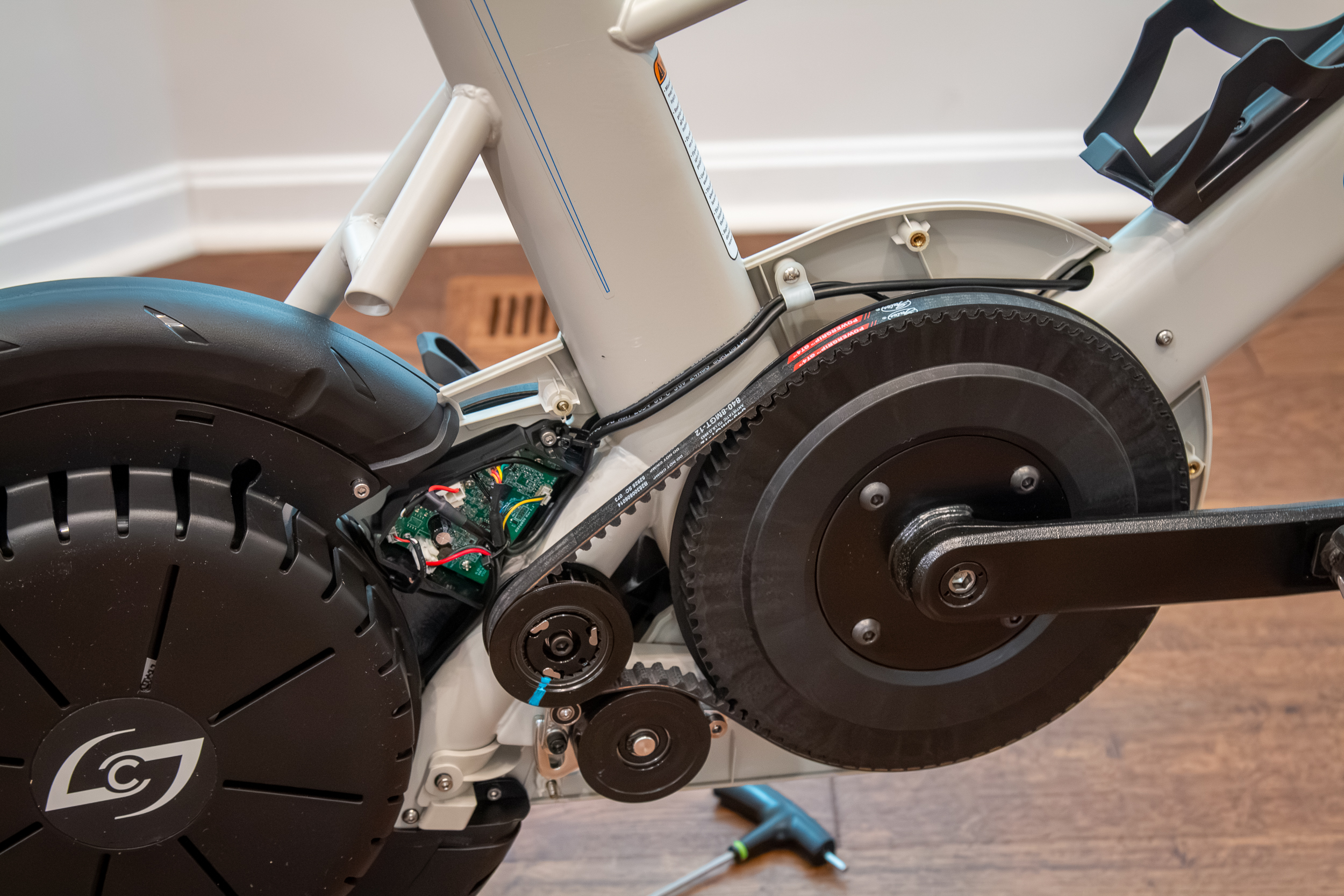
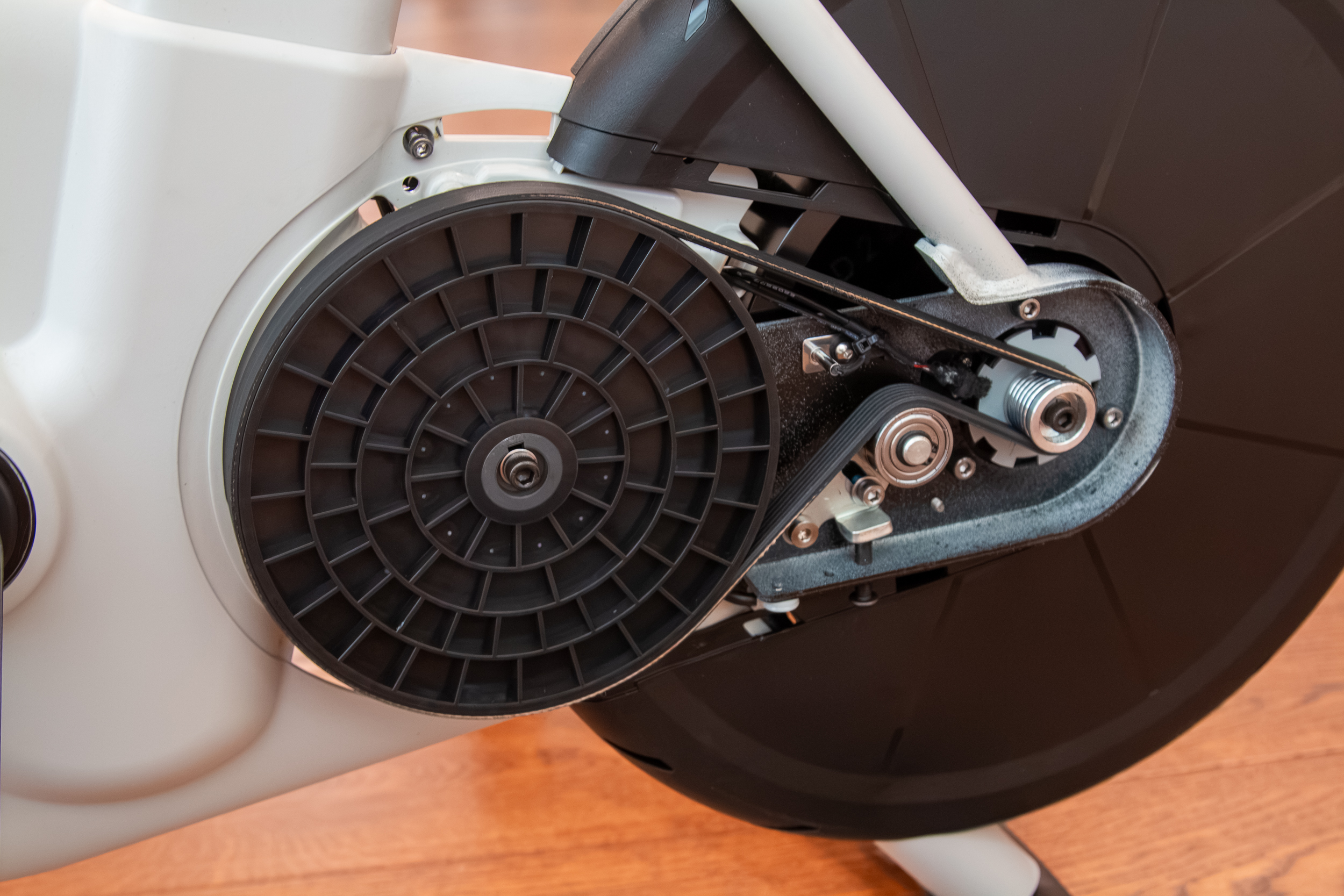
Other than the cranks, the drive system is now completely enclosed, which is a big plus for anyone with kids or pets. Shortly before I received the SB200, our new-ish puppy, who has a very white head, crawled under my bike on the trainer (not while I was riding it) and got a very black grease stain on her head. That cannot happen on the SB200.
It also highlights a major benefit of the SB200 – it’s meant to be completely maintenance-free. It does not require lubrication, and since there are only belts, it is whisper-quiet. Except for the freewheel. That is loud. Much louder than the entire bike, even while pedaling at 1000 watts!
I was curious what it looked like inside the covers, so I pulled them off to have a look. It’s easy enough to do; just remove some rubber plugs and a few Allen bolts. Fun fact: there is a Gates belt drive on the drive side, and a Hutchinson belt on the non-drive side! Both belts have tension adjusters that look fairly easy to adjust, but considering Stages claims this to be maintenance-free, you shouldn’t ever have to touch them (you definitely shouldn’t touch them unless Stages instructs you to).
New Shifters Deliver Nearly Any Button Configuration
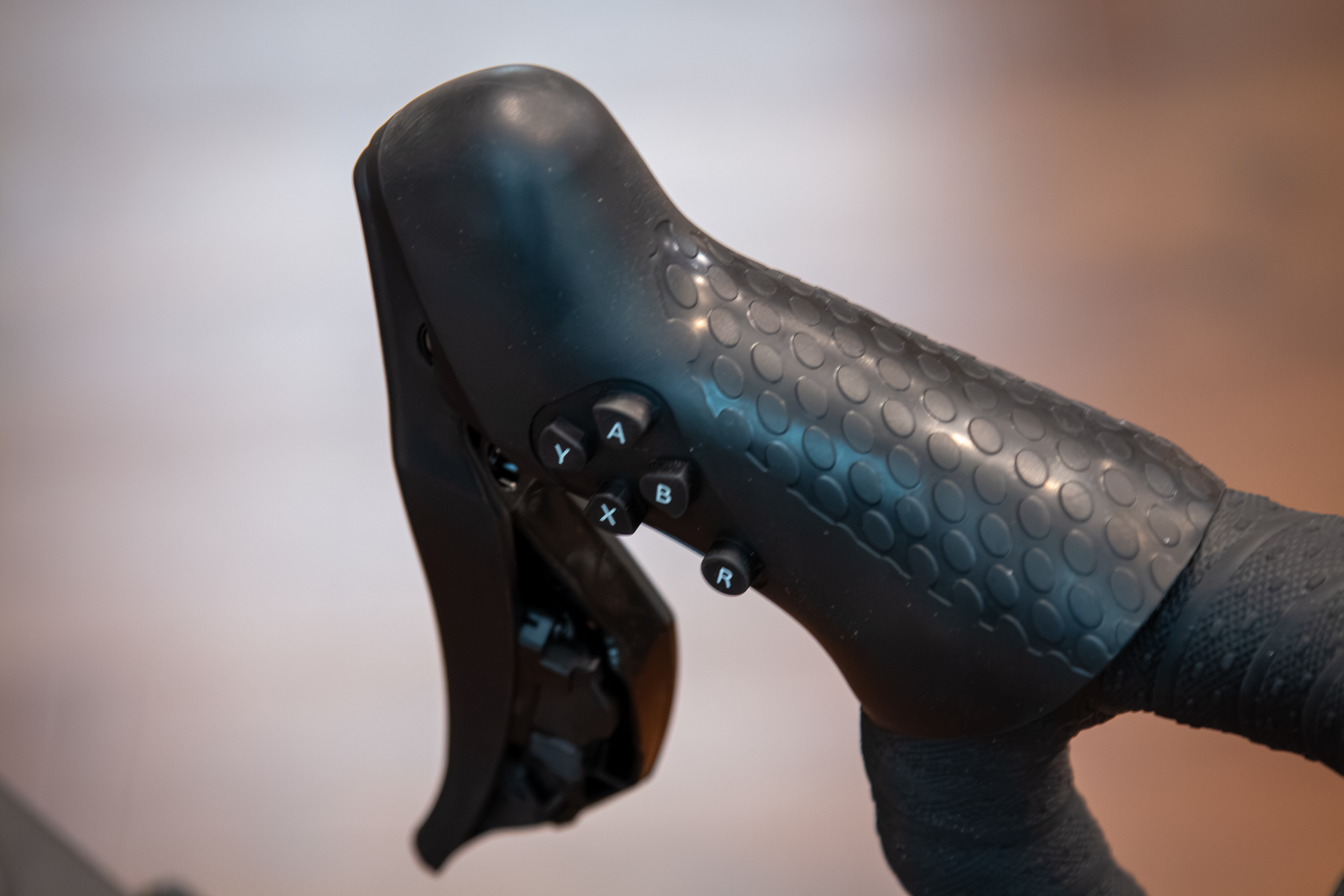
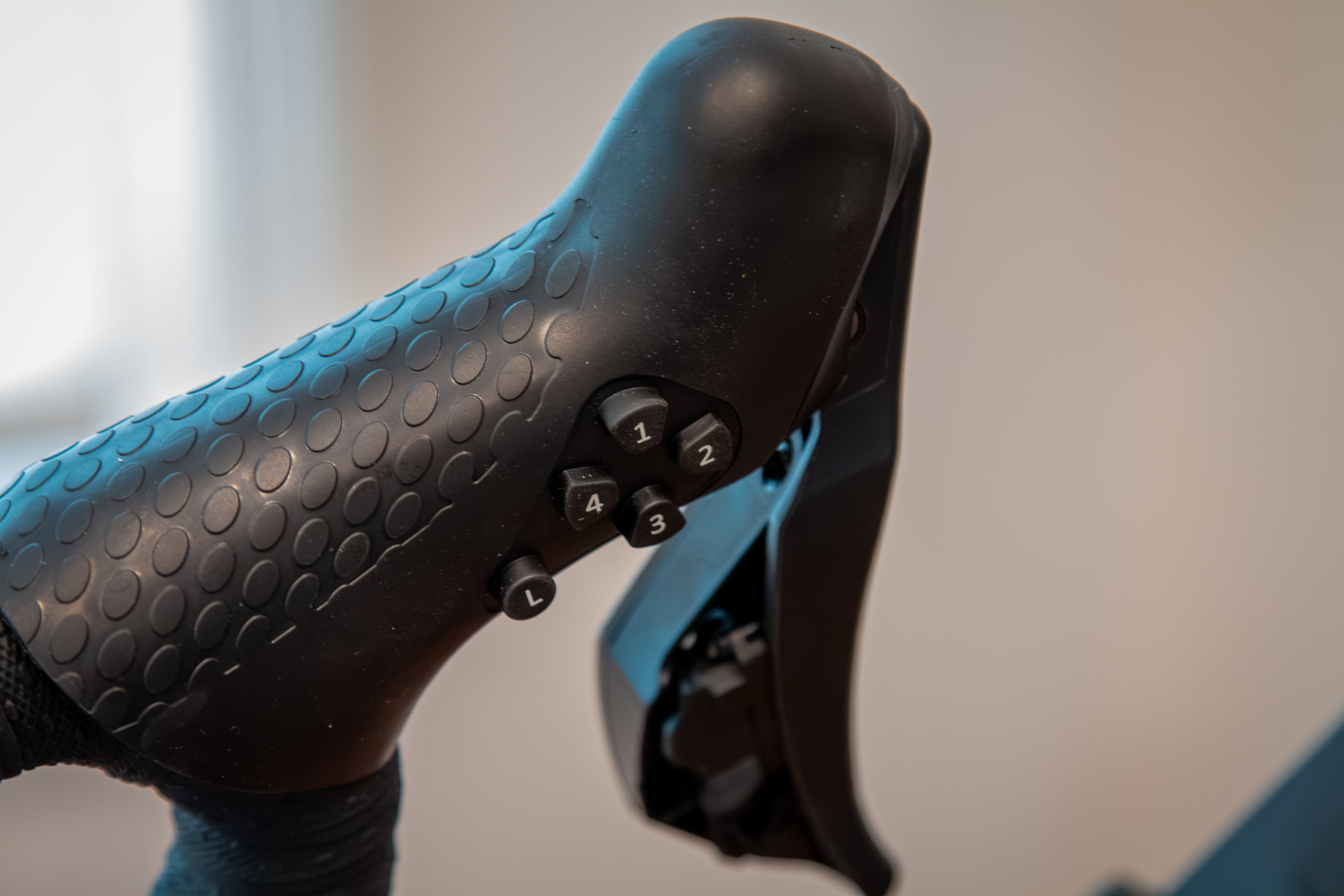
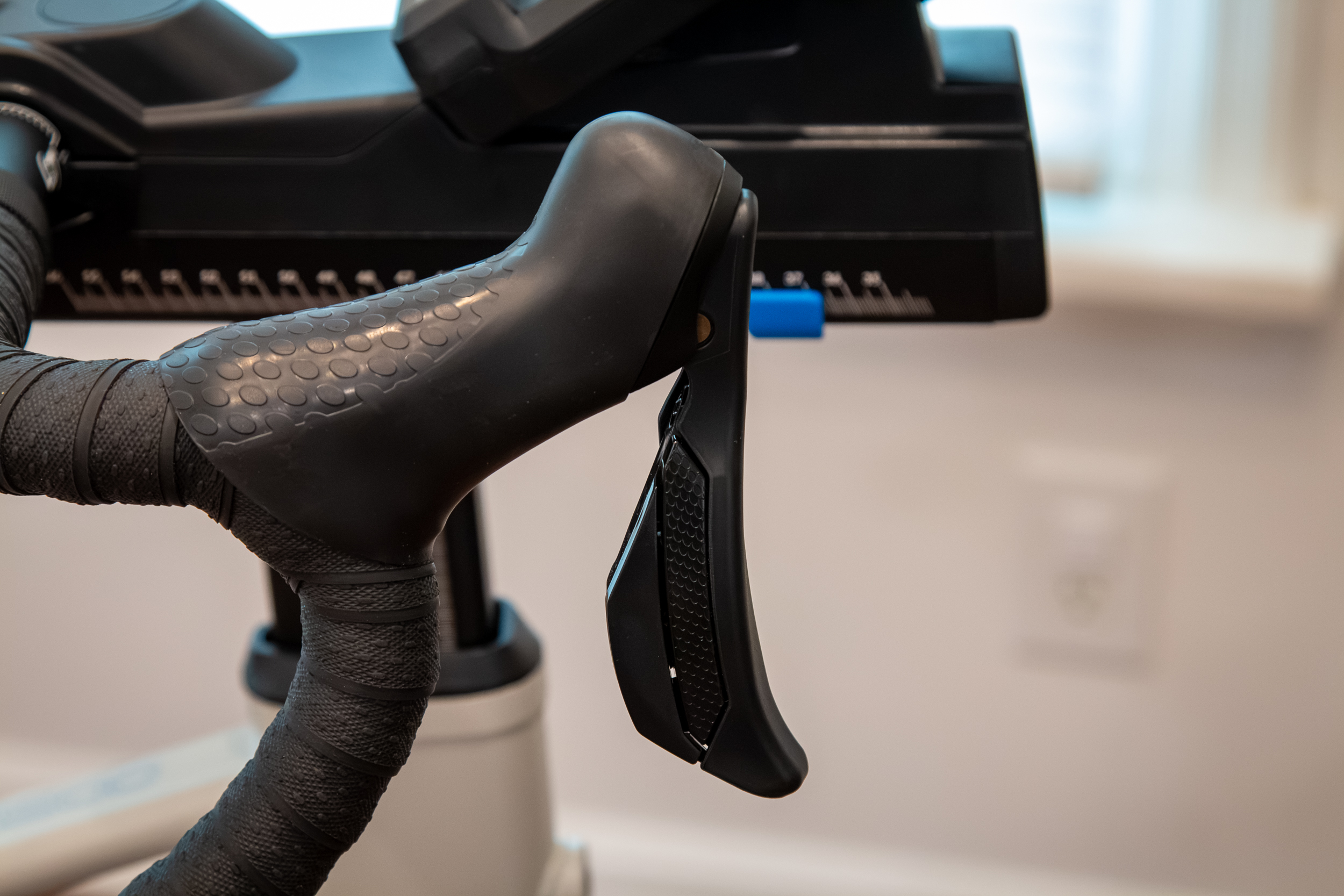
Another big upgrade to the SB200 is found at the shifters. Now fitted with a more “Shimano-style” shifter with two buttons on each shifter paddle, the inside of the hood has more buttons too, now with five on each side.
Stock presets mirror a Shimano 2×12 drivetrain, a SRAM 1×12 drivetrain, and the Dream Drive, which is Stages’ own ideal of the perfect shifter setup with a ratio of 0.5:1 to 7.0:1 with 30 steps. That’s the equivalent of a 70t chainring with a 10-140T cassette!
You can also set up your own custom drivetrain/shifter configuration with five customizable profiles, so you could set it up for different bikes in your stable.
The buttons on the inside of the hoods are also independently programmable. There are also preset configurations for the Stages App, Zwift, TPVirtual, and Mywhoosh.
And those brake levers? Those actually work. Thanks to an electromagnetic brake, the brake levers will slow you down in-game and also slow the flywheel, which comes in handy if you’re doing training that requires quick changes in power levels.
Built-in Display Screen
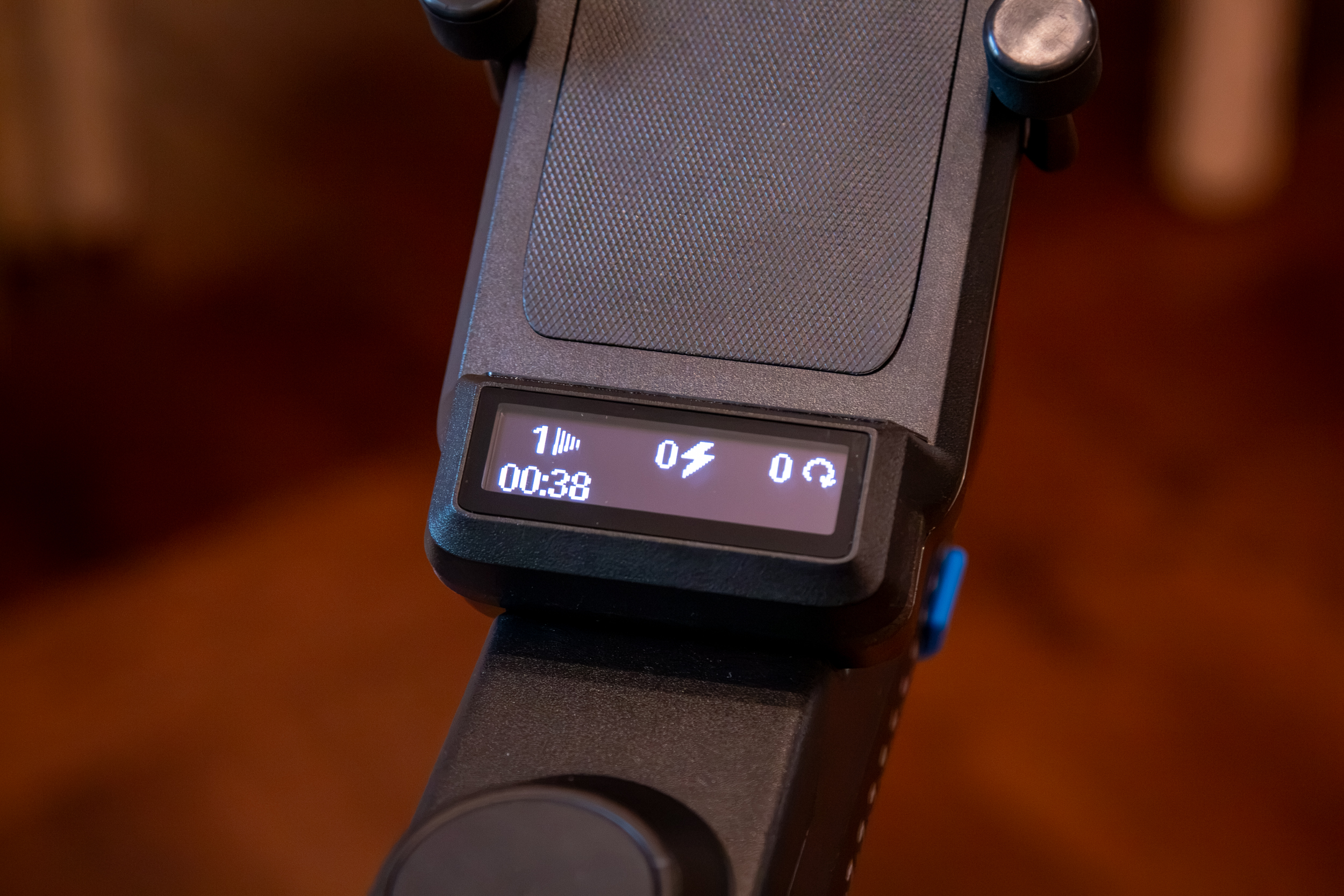
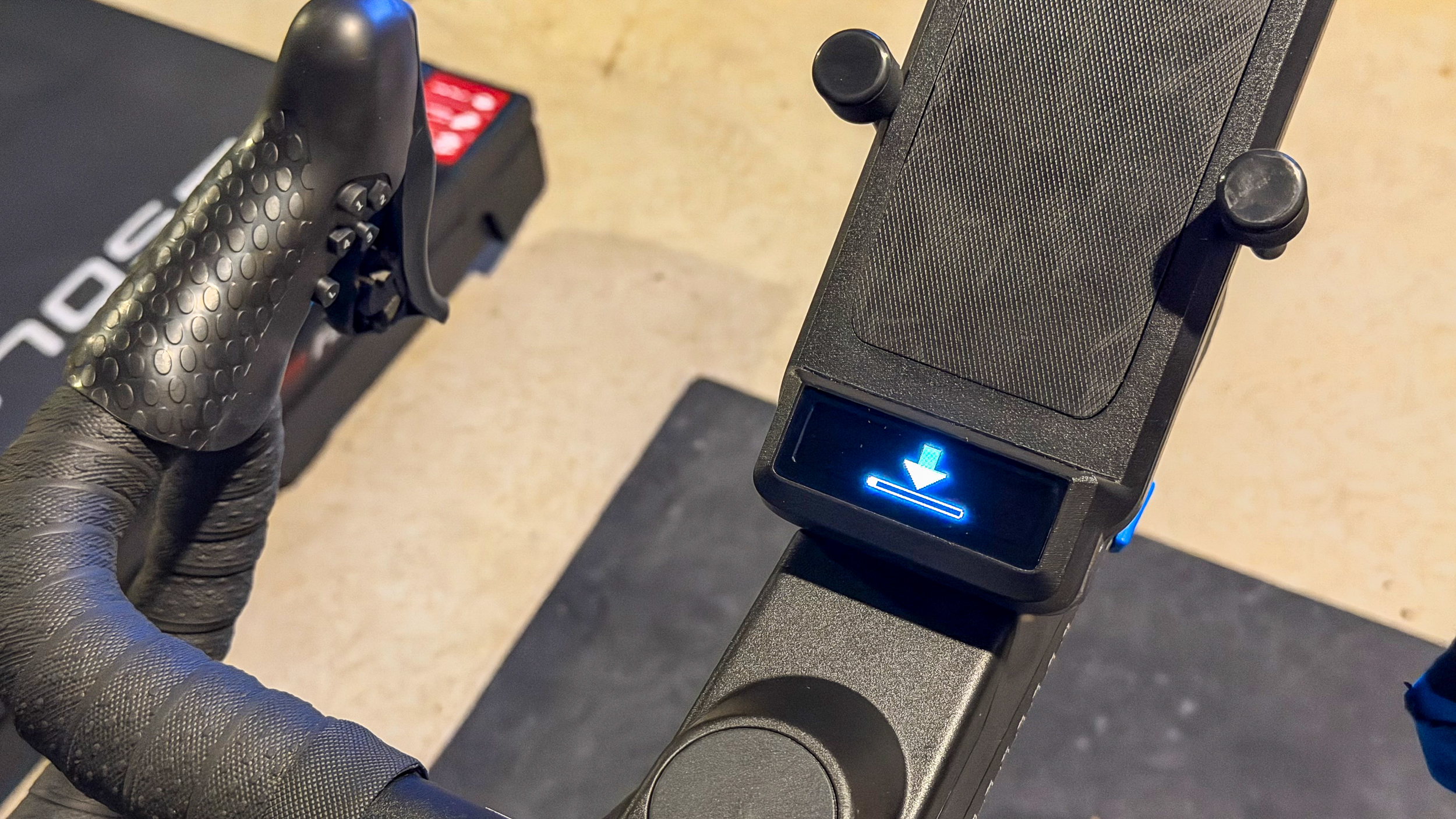
Do you ever want to just jump on the trainer and ride, without worrying about logging in, updates, connecting a bunch of sensors, etc.? Thanks to the integrated display on the SB200, that is entirely possible. The display is simple, but it provides more than 10 metrics plus error readings and warnings and gives auditory shift indicators.
Built-In Screen Holders & Charging Ports
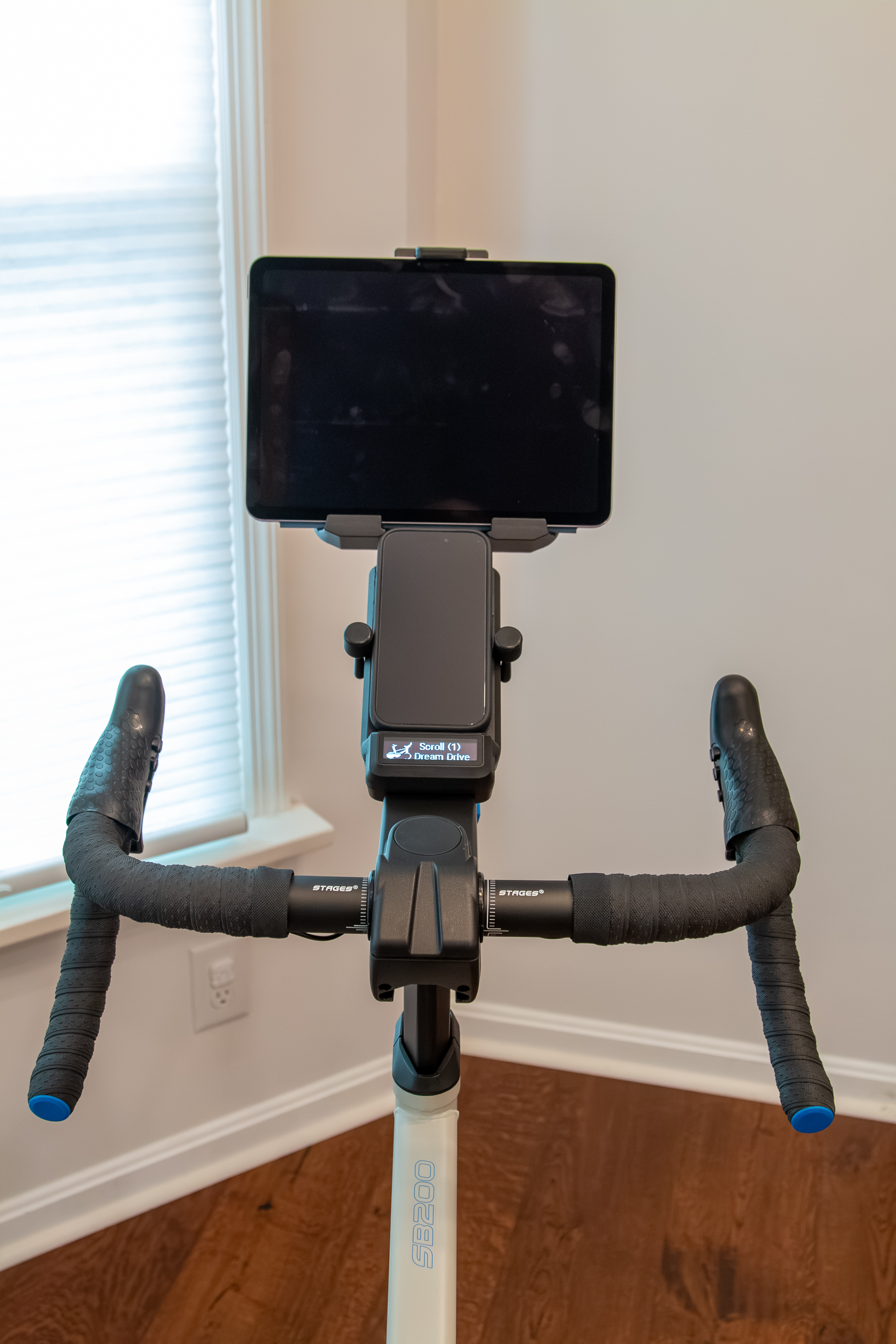
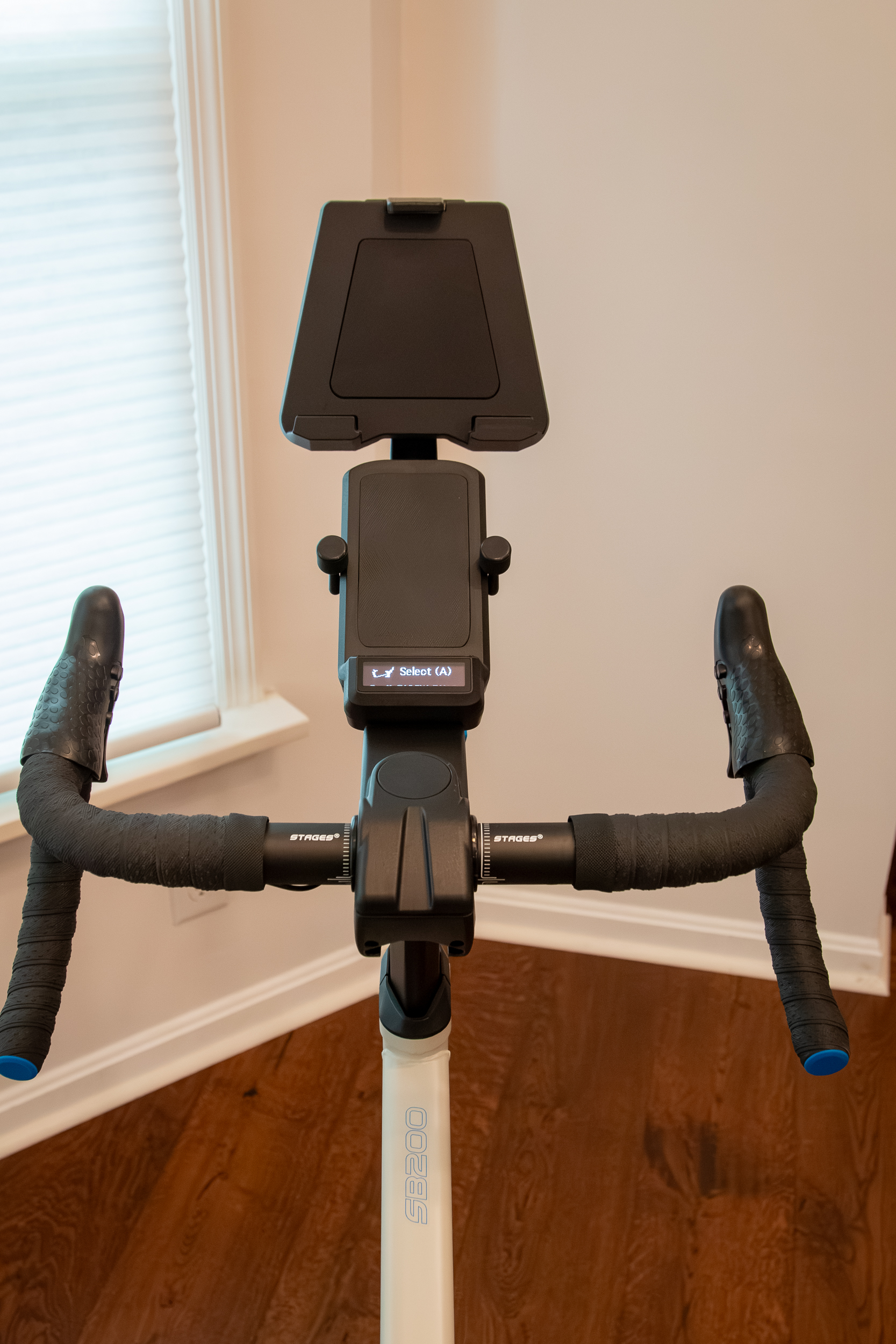
Stages points out that in virtual cycling, a phone or tablet is basically required. Because of that, the SB200 includes both a phone holder, tablet holder, and even cycling computer mounts right out of the box. The mounts are also designed in a way that won’t allow sweat to pool. In fact, sweat management is something that was taken seriously across the entire bike, with internal wiring through the frame, and important bits hidden from the corrosive liquid.
The removable tablet holder sits at the top and offers a thumb screw to cinch down on your precious device. Most tablets will only be able to be mounted in landscape.
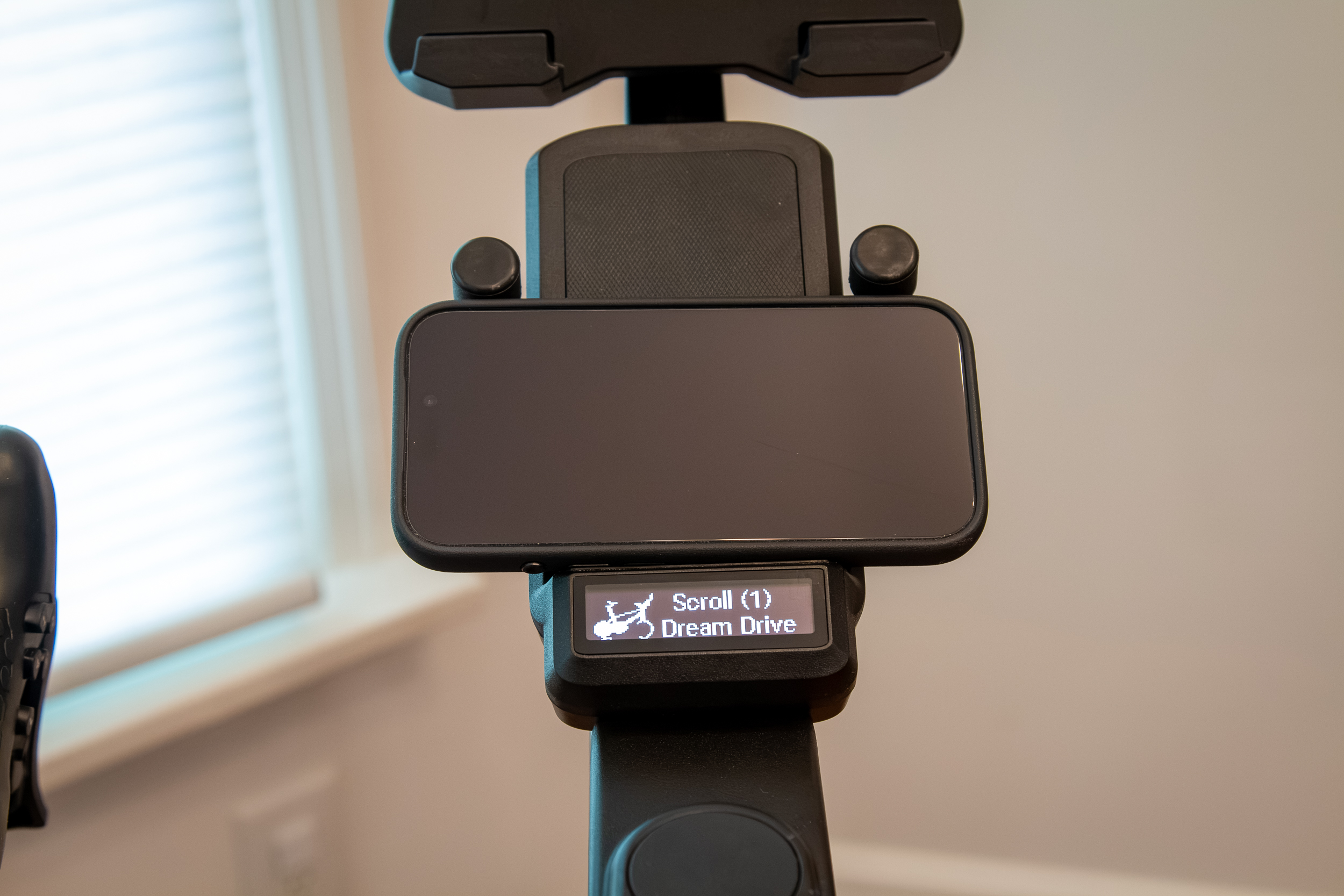
The phone holder, on the other hand, uses spring-loaded arms which allow the phone to be mounted in landscape or portrait. Smaller phones will likely not be held tightly, but probably won’t go anywhere. I have an iPhone 17 Pro, and in a case, the arms don’t really grab tightly when in portrait orientation. So anything smaller likely won’t even touch the arms.
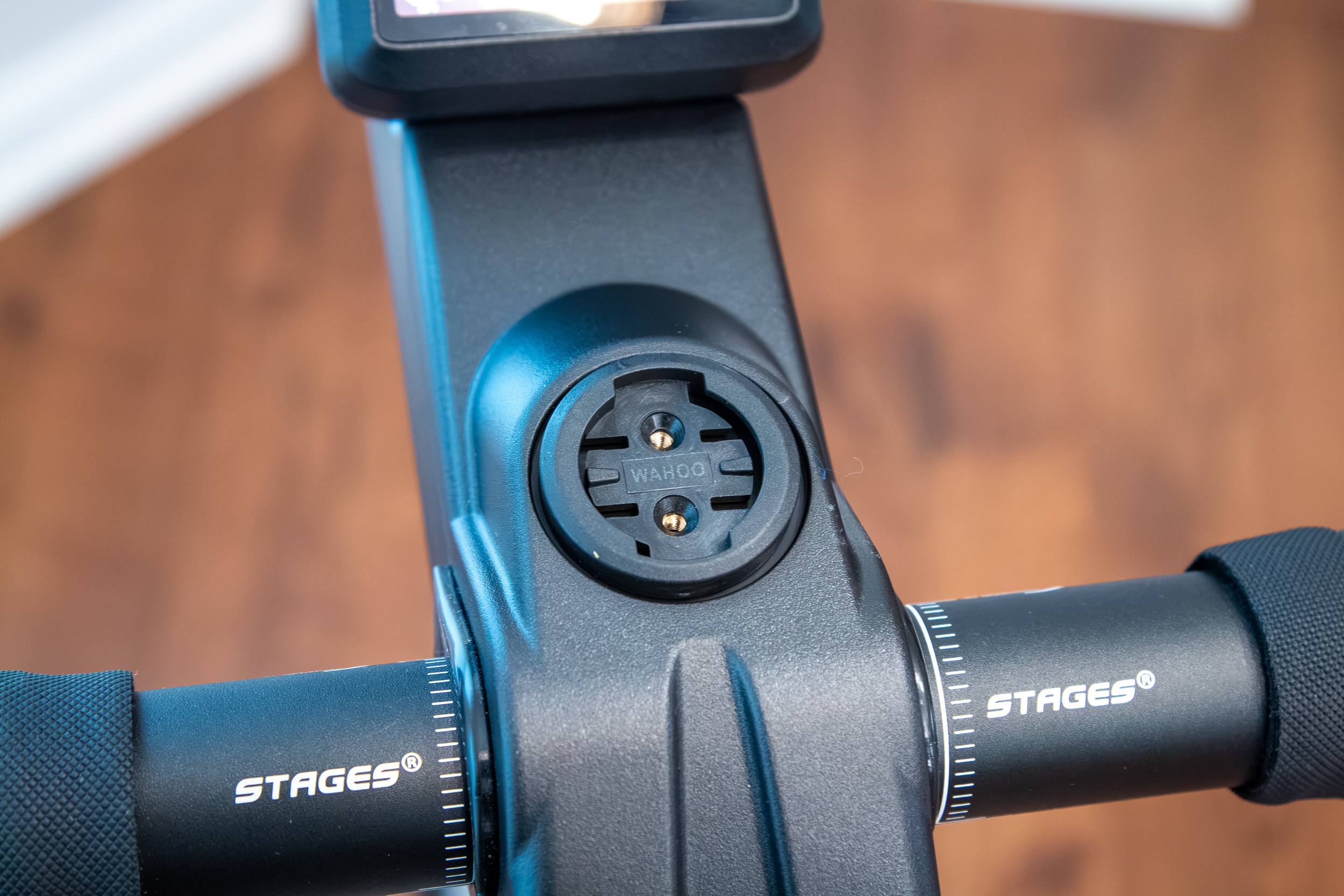
If you want to run a cycling computer, you can remove the rubber plug from the stem and install the included Garmin or Wahoo mounts.
On the bottom of the phone mount, you’ll find two USB-C charging ports to keep those devices juiced up while you’re riding.
One Bottle Cage, More Available
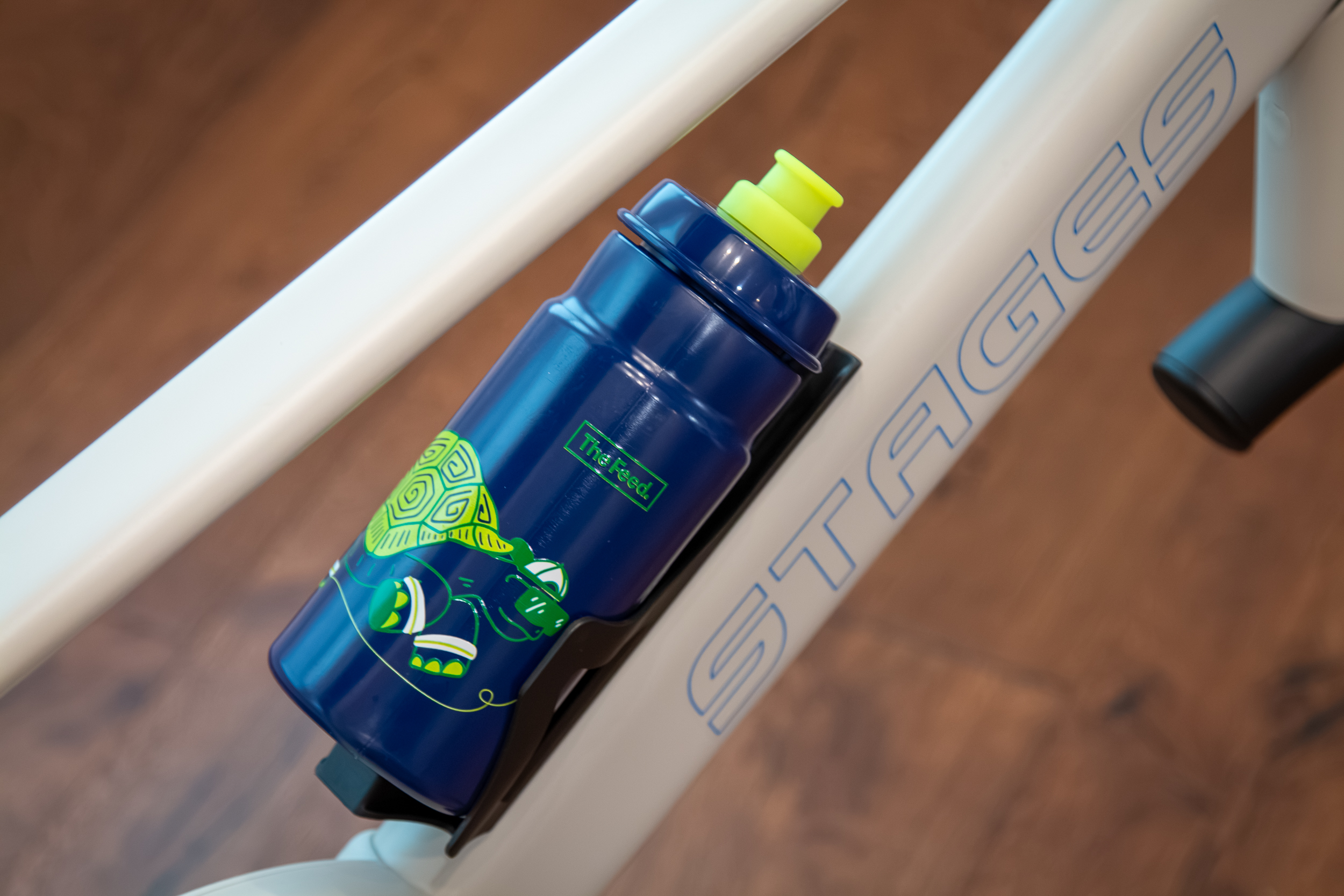
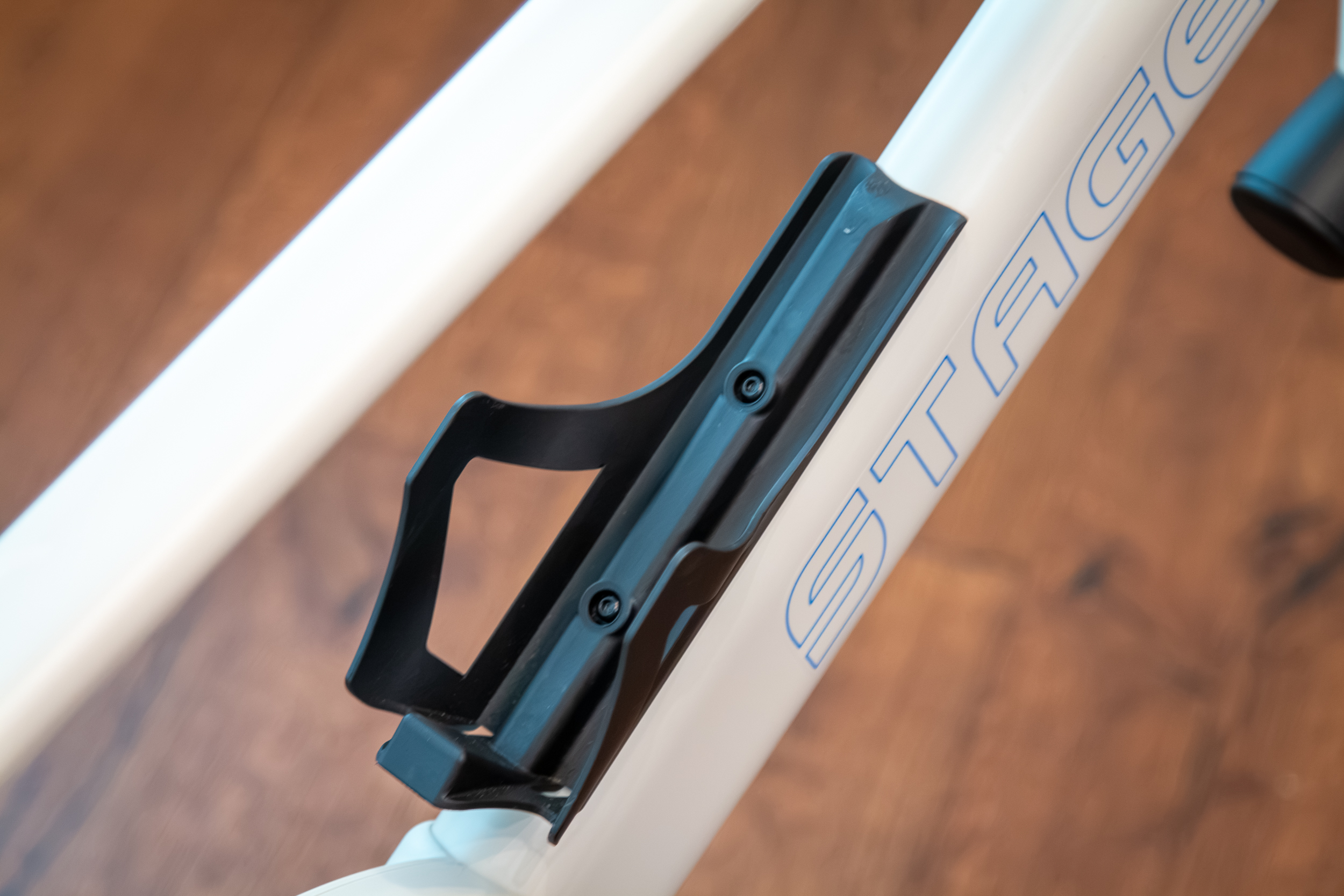
The SB200 includes a single bottle cage, which will be enough for many riders. Those who need more can pick up the FeedZone accessory, which adds two bottles to the front of the bike.
The included cage is more of a bottle tray – it doesn’t clamp down very tightly on the bottle, but it’s more than enough to keep it in place during hard efforts.
Connectivity to All Worlds
Stages bills the SB200 as the bike for every world, so it has to be connected to every world. To that end, it supports almost every connection protocol with the exception of ANT+. That includes Bluetooth LE at 4hz, high-speed Wi-Fi at 10hz, and FTMS for heart rate.
That speed difference between Wifi and Bluetooth is why Stages recommends using Wifi first for your connections. Bluetooth should only be a last resort.
New Stages App
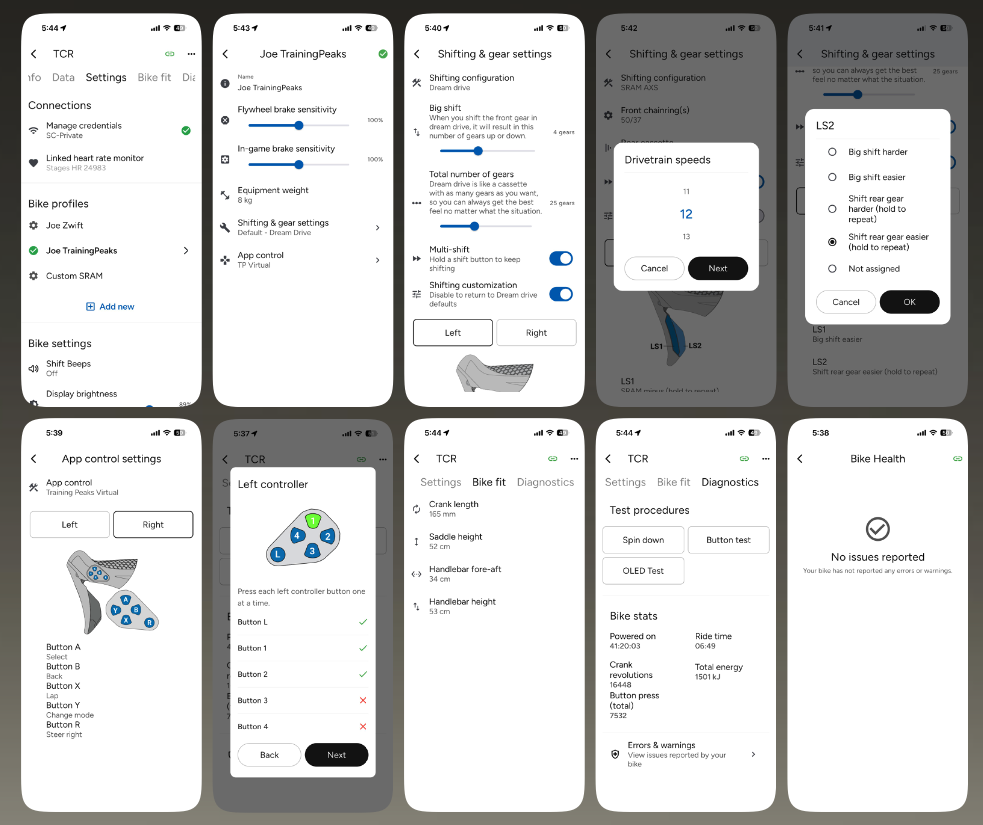
Building on that idea of being able to just jump on and go for a virtual ride, Stages also wanted to make sure that you didn’t have to pay for a subscription just to use your smart bike. To that end, they developed a completely new app for both iOS and Android that is backwards compatible with the SB20 and has restored functionality for capturing and analyzing rides that was lost when Specialized bought Today’s Plan.
The app not only allows you to run programmed workouts right from the device, but it also serves as a hub to control and customize the bike, monitor performance, and diagnose and repair any issues. If the bike does throw an error code, it will show up on the integrated display, but it will also appear in the app along with a link to a page on how to fix it.
Pricing & Accessories
Still with me? If so, you’re probably wondering about the price. It’s not cheap at $2,399 USD/ £2199/ €2399, but it’s also not the most expensive. This is definitely a trainer for the dedicated cyclist, but at the same time, details like the integrated display make it more likely that anyone in your household who’s not a dedicated cyclist will be more likely to use it.
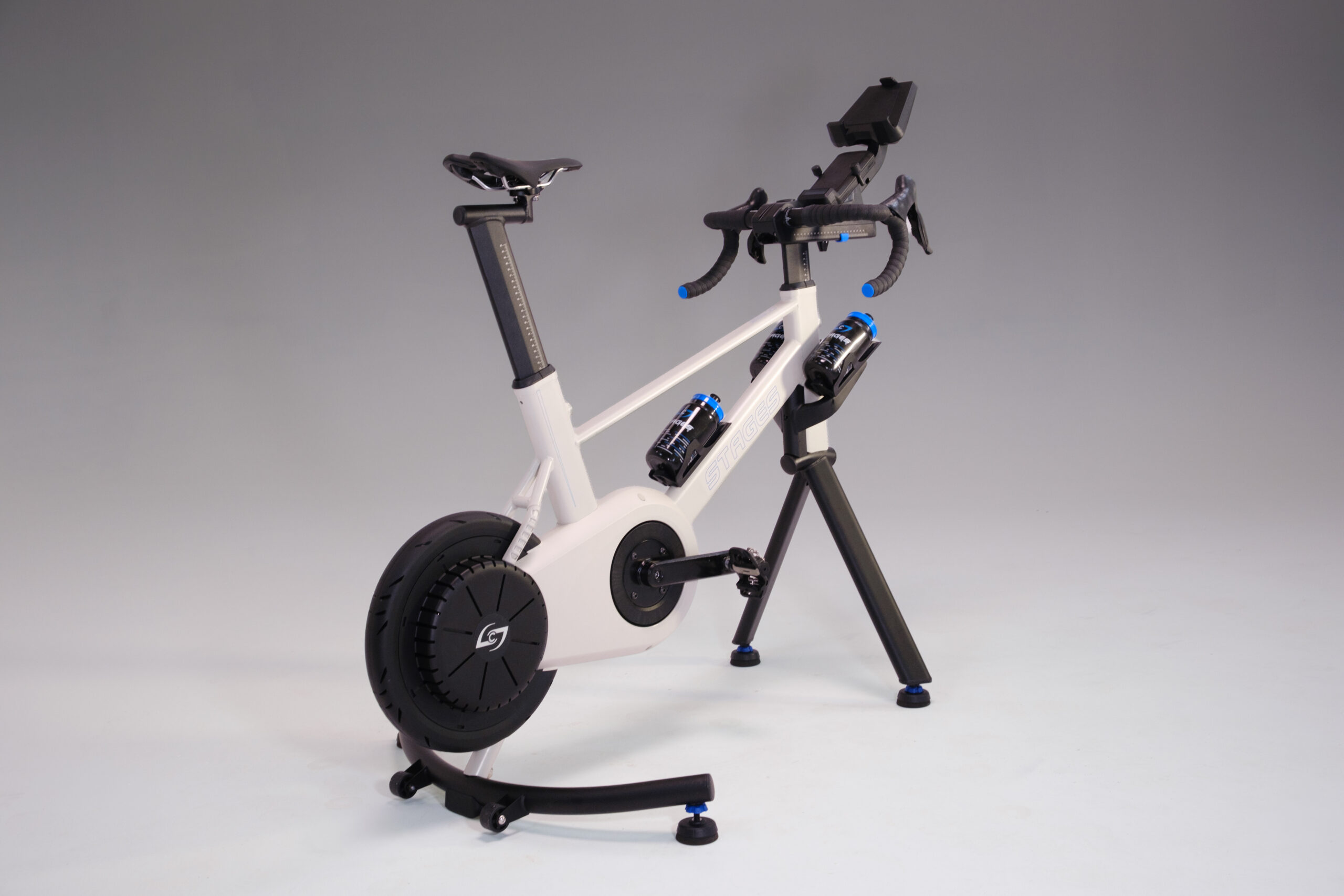
As mentioned, the SB200 will have three main accessories available: the Feed Zone dual bottle holder, the Rigid Ride front stabilizer (both pictured above), and a fore/aft Tri/MTB seat mast (not pictured). Pricing and availability are TBA.
At launch, the bike will be available in the U.S., with availability in the UK and EU to come shortly after. The SB200 is covered by a 10-year warranty on the frame, and a 2-year warranty on parts and accessories.
First Impressions
Pretty much immediately after unboxing and building the SB200, I had it installed and was into my first ride on Zwift. That’s still my preferred training program, and the one I spend the most time on. Getting connected to Zwift was easy and extremely fast after the first connection when using Wifi.
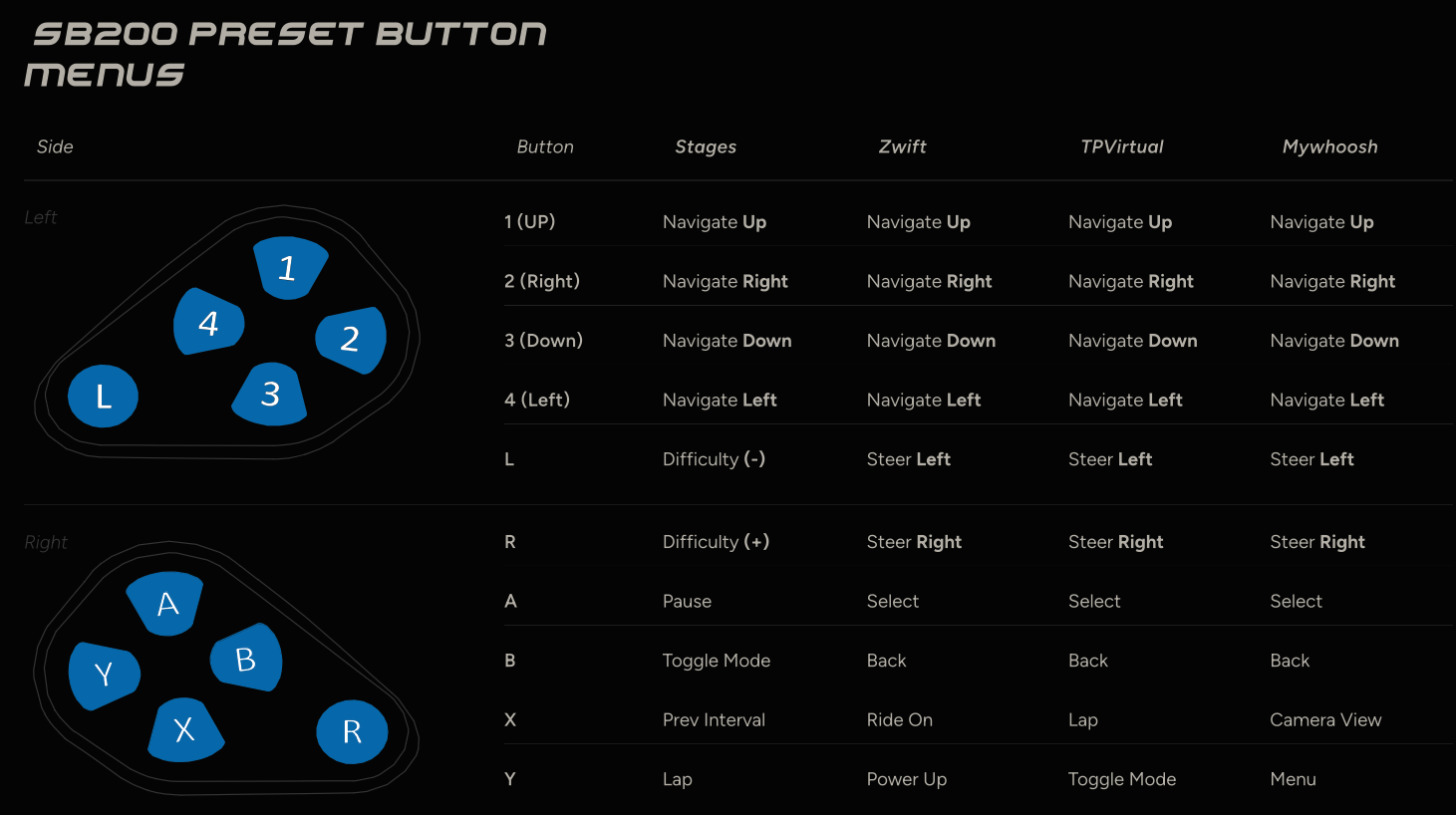
The only thing that may trip you up initially is the ‘App Control’ field when creating a custom bike profile. Initially, I was struggling to get the shifter buttons to work properly in Zwift, and it turns out it was due to the App Control setting being on Stages instead of Zwift. There are four different presets for these buttons for the Stages App, Zwift, TrainingPeaks Virtual, and MyWhoosh. Stages says they tried to make the button settings as universal as possible so it will just work across the board, but Zwift in particular has some unique functions that require a specific setup.
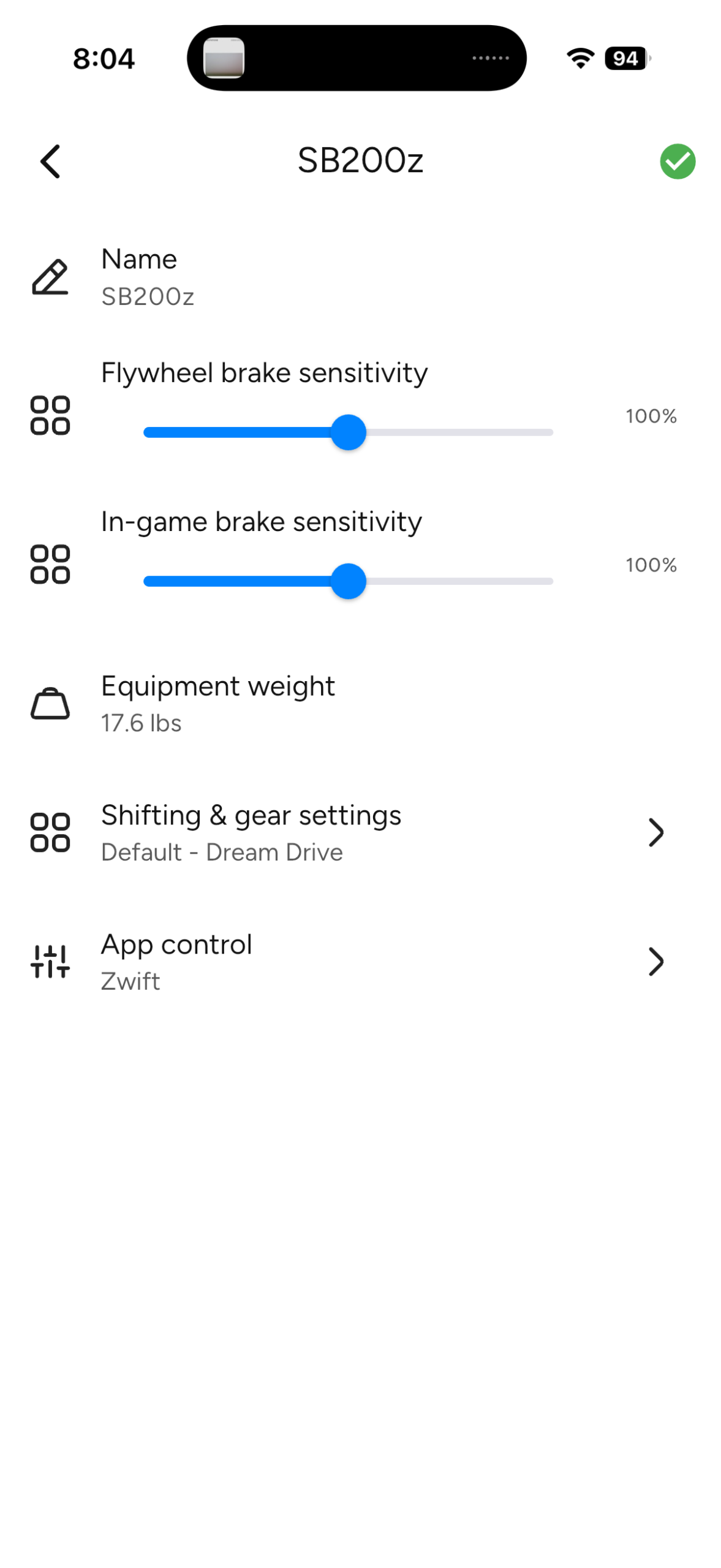
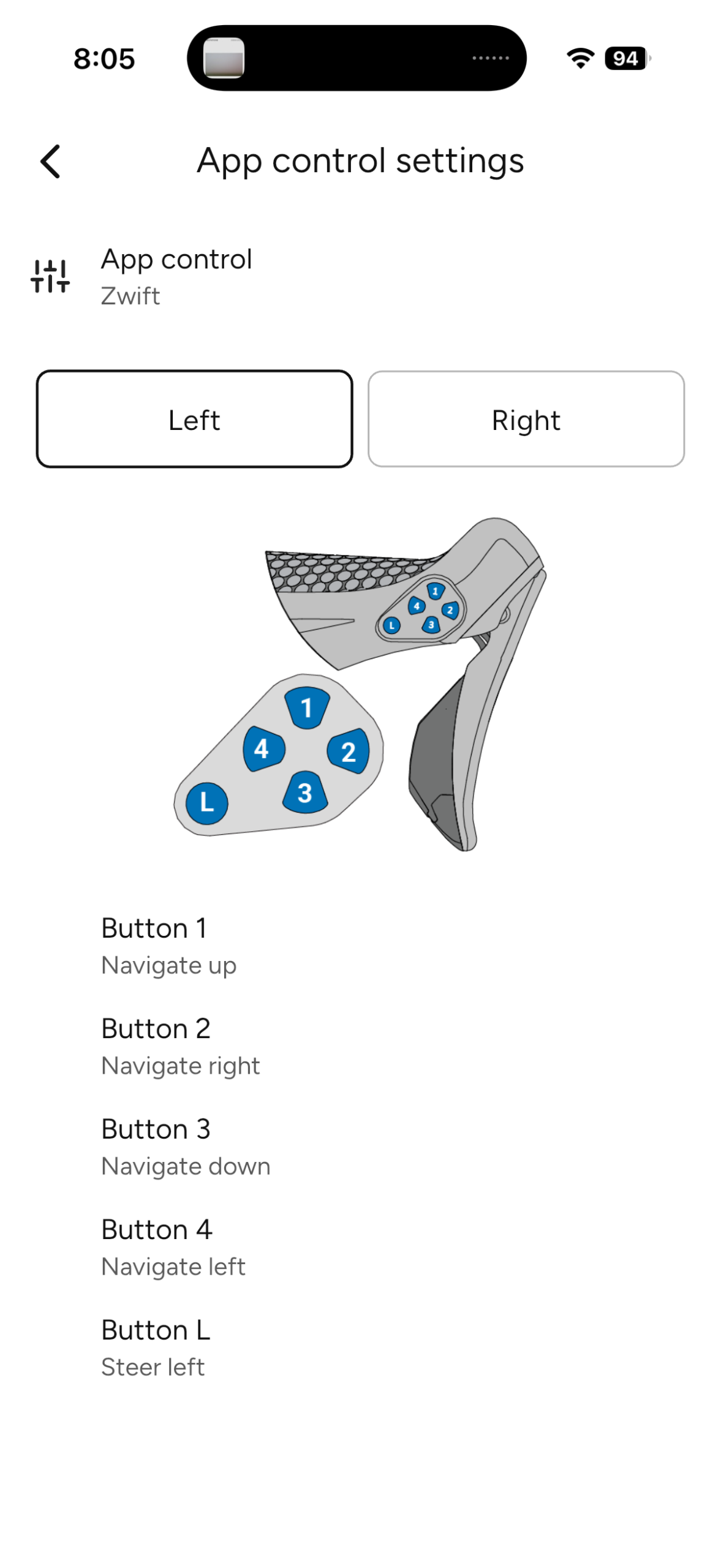
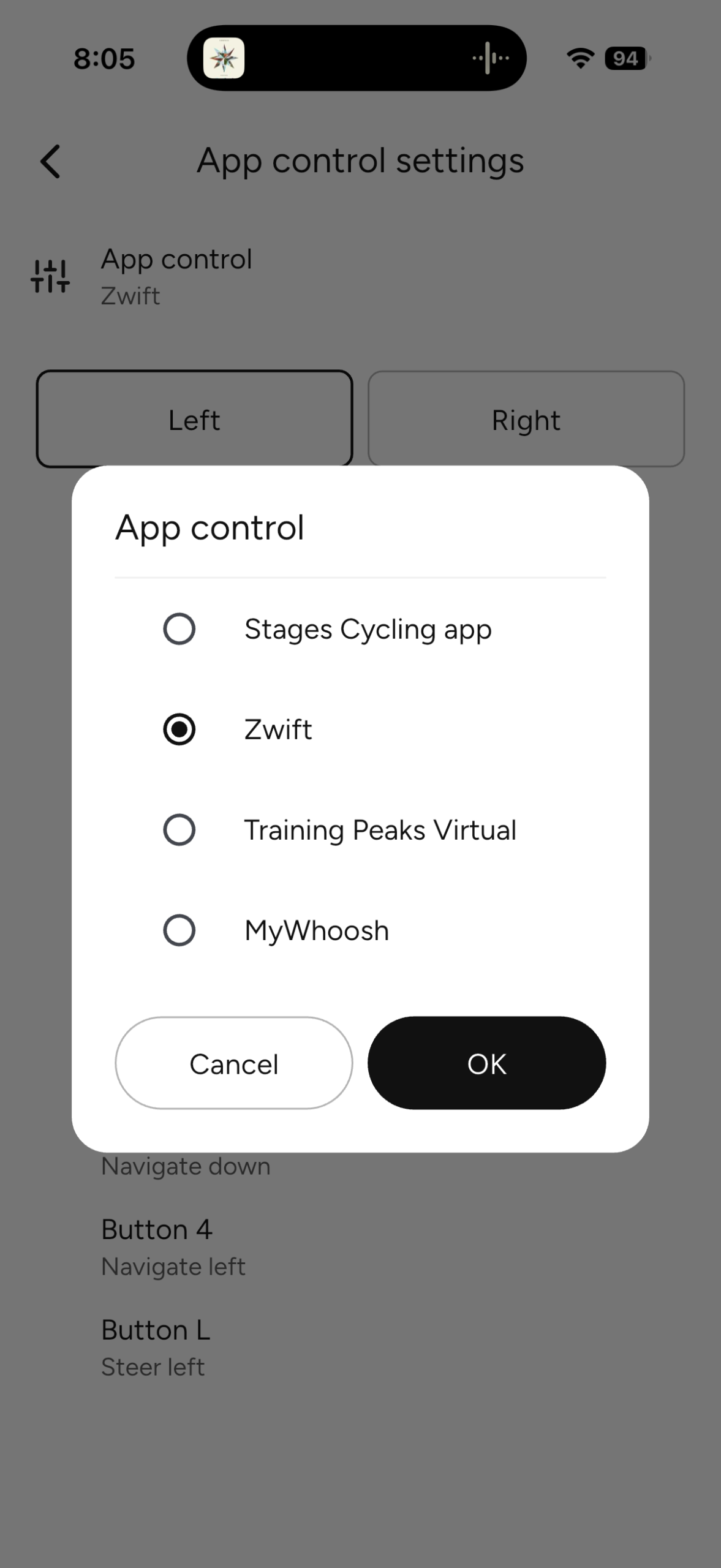
To that end, Stages recommends creating different bike profiles for each platform you plan to use: a Zwift bike profile, a TPVirtual profile, etc. That way, when you need to switch back and forth, all the presets are loaded, and it’s ready to go.
Along these lines, you can also set up different bike profiles to capture different drivetrain preferences to make the bike feel like specific bikes in your fleet. In reality, though, much like the Stages team, I found that the Dream Drive setting is hard to beat. Unless you really want to have the exact same shifting experience you’d have outside, it seems silly to limit a virtual drivetrain to the confines of physical drivetrain design. Just don’t be surprised when you go back outside and you miss that 1×30 drivetrain with a 10-140t cassette and 70t chainring.
Once you sort out the App Control setting, connecting to Zwift and other platforms is nearly instantaneous. Compared to many smart trainers I’ve used, this is so much better – exactly as it should be for a $2,399 smart bike.
That’s one of the biggest takeaways I’ve had from my time with the SB200. I’ve gotten used to all the things that usually slow down the process of getting on the trainer: Are the Zwift controllers, bike drivetrain, and display devices charged? Is everything connected to Zwift? Is the front tire inflated? Is the bike even on the trainer? There’s none of that with the SB200. Just jump on and ride. So far, it’s the fastest experience I’ve had from the time I put my riding shoes on to the time I’m pedaling away from the virtual start line.
Virtual bikes like the SB200 are often used because you don’t have enough time to get out for a real ride, so that time wasted during setup matters.
You don’t even need to have a Zwift account or any other platform to get in a workout. The integrated display means you really can just jump on and start pedaling. Once it wakes up, the shifters will make it harder or easier, and you can use the metrics on the display to focus on power zones, speed, cadence, calories, etc. In this way, it’s even simpler than an older ‘dumb’ trainer since you don’t have to have an additional bike computer to track your workout.
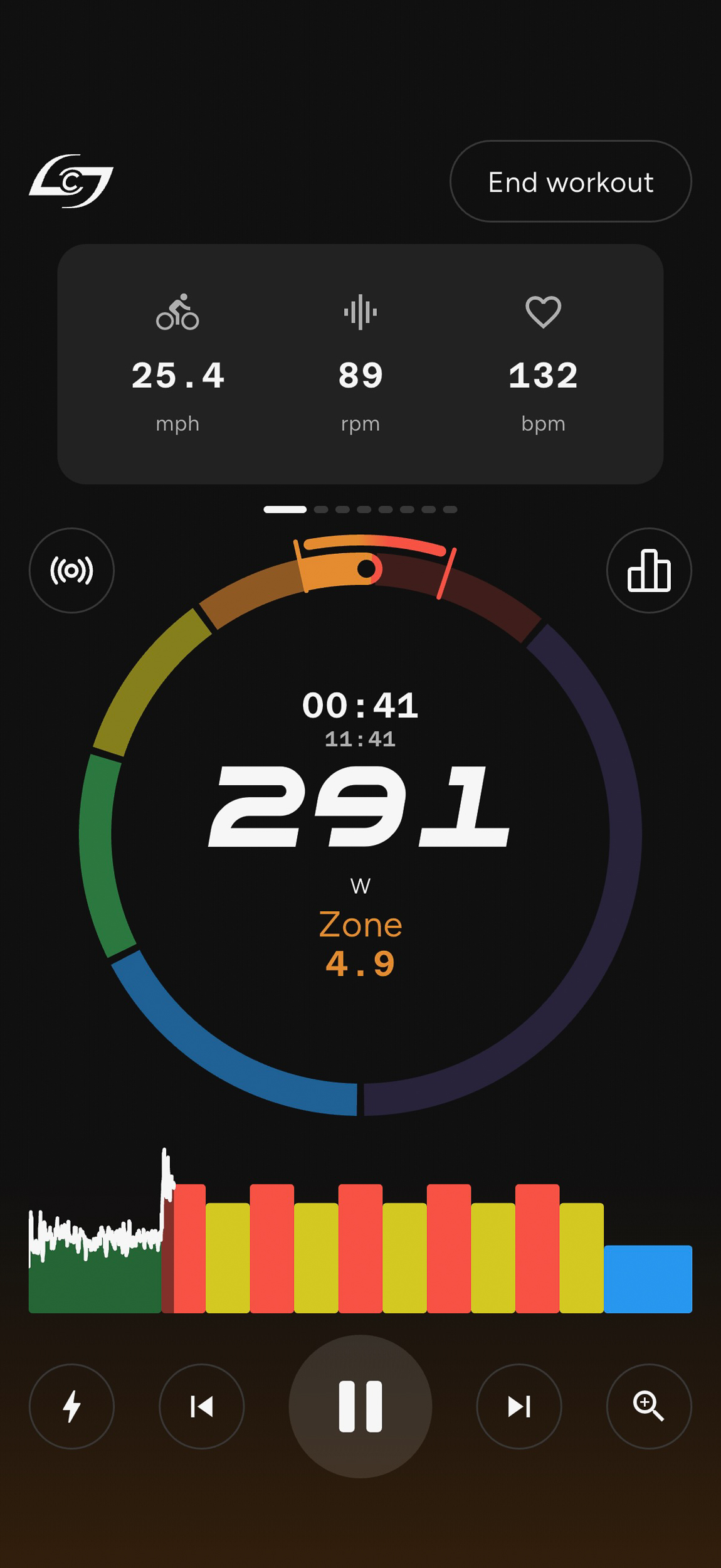
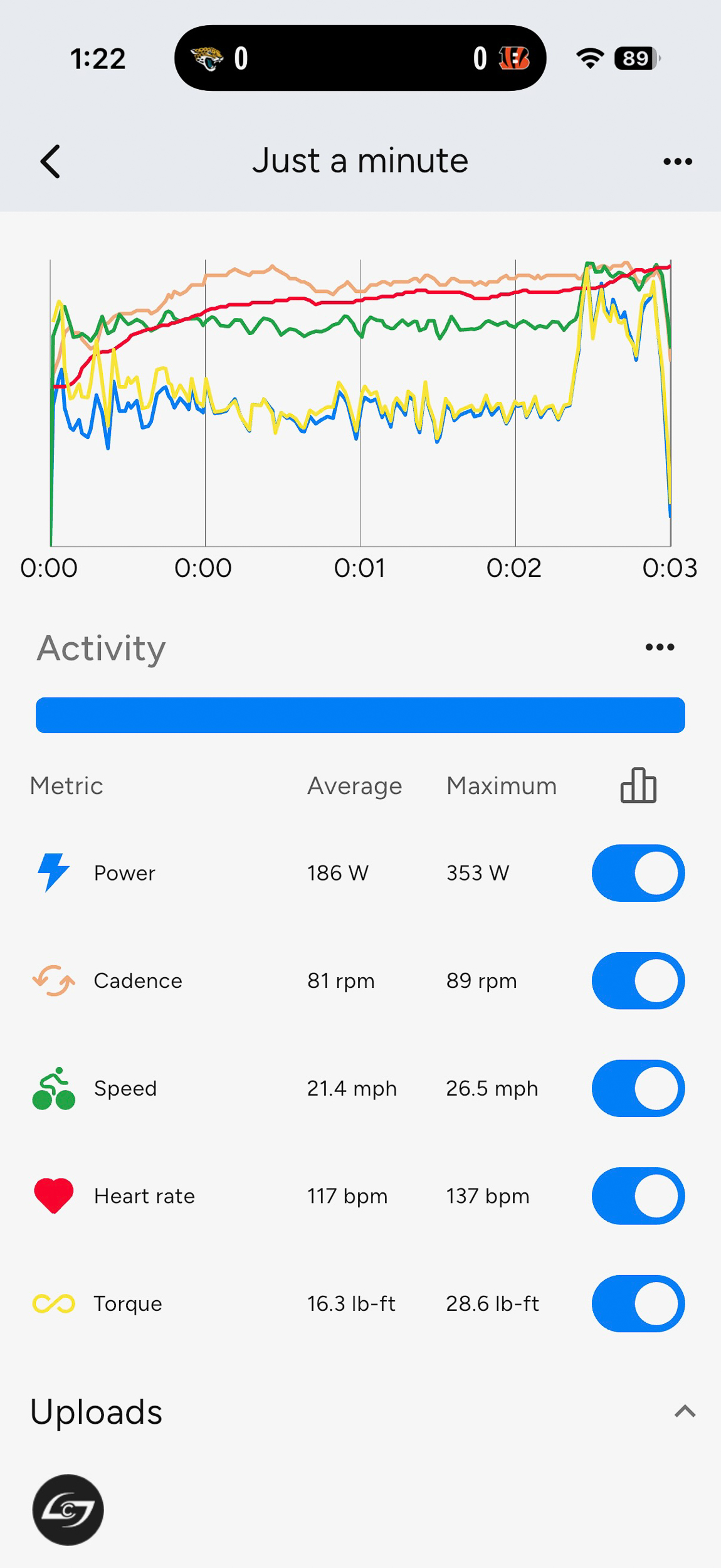
For those who want a more structured workout but still don’t want to have to pay for a subscription, the new Stages App is pretty good with 30+ preprogrammed workouts. This could be a perfect option for those who only pay for a Zwift subscription during the winter months, but might want to do the occasional indoor workout during the warmer months. Or anyone who would rather just watch Netflix while getting in a workout, for that matter.
Which brings up another important feature of the SB200 – its noise. Or lack thereof. If you’re used to the noise and feeling of a chain drive on the trainer, you will be shocked at the smooth and quiet nature of the SB200. That was clearly articulated when, after looking for me for a while, my wife actually said, “I didn’t think you were down here [riding in the basement] because I can normally hear the trainer upstairs.”
The only caveat to that is the noise of the freehub. Compared to the lack of noise while pedaling, the sound of coasting is almost jarringly loud. Fortunately, the brake levers will slow down the flywheel in-game so you don’t need to coast much. Maybe it’s a good mental reminder to keep pedaling.
I love the fact that the tablet holder and phone holder are standard equipment, but I also appreciate the fact that the tablet holder is removable. I have the bike set up in front of a big TV to run Zwift, so I have no need for the tablet holder. It’s pretty big, so leaving it in place blocks a good amount of wind from my fan, so I quickly removed it for maximum airflow. If you plan to ride with a tablet, you can probably just angle the fan, though.
I had my previous trainer setup on a rocker plate, which made me think I might miss the movement with the SB200. While the smart bike certainly doesn’t move as much as the rocker plate, it’s enough to keep things comfortable. The SB200 doesn’t do incline changes like the Wahoo KICKR Bike Pro either, which seems like the only feature it’s missing (if you’re ok with a $4k smart bike).
As an early launch sample, I’ve been using the SB200 along with the Stages App through the TestFlight app development system. Due to that, I haven’t spent any time on the production version of the app yet, but so far everything has been fairly dialed in, with a few firmware and app updates to clean up some bugs, like improving temporary sensor pairing, third-party app integration, etc. Like any smart device, expect there to be routine updates both to the firmware and app that will improve the experience.
One of the few software areas that seems like it could use improvement is the ERG mode smoothing. For any smart trainer, this seems like one of the hardest aspects to get right, but we’re told there’s already an update in the works that will give the user multiple options for ERG mode with ‘Sim style’, intermediate, and controlled settings.
So far, I’ve been impressed with the communication and support from the Stages team on any issues that may pop up. I haven’t experienced this yet, but we’re told that if an issue did pop up, the bike would display an error code along with a link in the app directly to the product help page you’d need to resolve it. Stages already has over 40 help topics ready to go, which will be on their support page soon.
Should You Buy a Smart Bike Like the SB200?
There is no question that if you’re looking for the best indoor cycling experience, you’ll want a smart bike like the SB200. It’s already proven to be the fastest, easiest way to get going on an indoor cycle trainer, and it also has the most life-like ride feel of any smart bike I’ve used.
‘Should you buy it?’ really comes down to pricing and your available space. One of the biggest advantages to a bike+trainer setup is that when you’re not using it, the trainer can fold up relatively small, and the bike can be hung up or ridden outside to get back that space. You can wheel the SB200 into a corner, but it will still take up more room. And while it’s capable of being moved into different rooms and up/down stairs, the 71lb bike with the wide outrigger isn’t the easiest thing to maneuver.
The SB200 is also a significant investment over a basic smart trainer, though you have to account for the wear and tear on your bike when it’s mounted to the trainer. Many committed cyclists will likely have an older bike that becomes the dedicated ‘trainer’ bike, but that negates the storage argument, and still requires maintenance and may trap you in an outdated geometry that you’d prefer not to spend hours on over the winter.
On the contrary, the SB200 can adapt to a wide range of geometries and can function as your own personal fit bike to easily try out a slightly different reach or stack height. I also really love that the drive system is completely enclosed with no need for lubrication. Between that and the fact that I no longer have to worry about anything being charged to get on and ride, the benefit in time saved and reduced hassle seems well worth the price.
Additionally, with my previous trainer setup, my non-cyclist wife never even considered jumping on for a ride. If you have multiple people in the household, especially non-cyclists, the argument in favor of the SB200 gets even stronger. The bike is quickly and easily adjustable to fit multiple people – with the exception of the saddle clamp, that is. You may want to invest in an additional seat post so you can mount a different saddle or even the same saddle in a different position/tilt if you plan to swap back and forth between different users.
I plan to put a lot of miles on the SB200 over the winter to verify this, but on first impressions, I would absolutely buy one over any trainer or smart bike setup currently available.








![[PANEL] Stelco mise en demeure par le gouvernement Carney](https://images.radio-canada.ca/q_auto,w_1250/v1/ici-info/16x9/stelco-hamilton-64620.png)







 English (US) ·
  French (CA) ·
  French (FR) ·